3 Column blogger template

0 comments


Get the Code:


3 Column blogger template. Give your suggestions please.

[Read more of this review]

2 Column simple blogger template

0 comments


Get the Code:


A nice simple white blogger template.comments please.

[Read more of this review]

Indian design blogger template

0 comments


Get the Code:


Indian painting based template , comments and suggestions please.

[Read more of this review]

My Pc Profile

0 comments

My PC Profile provides you with a comprehensive and very easy to understand report about your PC. It lists all hardware and software that is installed, all processes running on your computer right now and much more. It doesn’t matter whether you are an expert or just a beginner. My PC Profile is great and easy to use for computer users of any skill level.

Research indicates that over 90% of all computers that are over 30 days old have hidden errors that can cause data loss, system failures and crashes. These errors are caused simply by installing or uninstalling software that leave remnants of itself in your computer. Unless you take proper care of your computer, you are more susceptible to such issues. Taking care of your computer on a regular basis saves you money, time and frustration in the long run.

And main thing it is free . SCAN YOUR PC NOW
[Read more of this review]

MP3 SONGS FOR BLOGS

0 comments

Many of bloggers search for mp3 tools but they don't find them .But now you can put your own juke box in your blog and let your visitor listen your favourite songs. Radio.blog is the first stand-alone player that lets you stream sound on your blog .

To stream your favourite mp3 just follow these steps :-

1) Join radio blog club .

2)Search your favourite mp3

3) Select your favourite your mp3 and copy the code .

4)Paste it in your templatewhere you want to put your juke box .

5) Republish your blog and start listening your favourite mp3 on your blog .

6)You can create as big mp3 list yu want to stream.

Join here :- www.radioblogclub.com
[Read more of this review]

Google Radio EXCLUSIVE: Audio Ads in pictures!

0 comments

Google is nearing its one year anniversary of the dMarc Broadcasting acqusition, purchased to further Google's mission to bring "targeted, measurable advertising" to the entire world, including radio.

Google is also nearing its promised launch date for Google Audio Ads "beta." Prior Google radio advertising launch dates have come and gone, however. Is this time the charm? Google only has a few weeks left to announce the debut of its radio advertising product in 2006.

Google spokesperson Michael Mayzel advised me several weeks ago that Google Audio Ads is indeed on track for an official 2006 marketplace introduction. SEE:

Google $20 billion radio chatter

Google: Radio star or bit player?

One thing is certain, Google is actively pitching its Google Audio Ads to advertisers and I have an EXCLUSIVE look!

HOW GOOGLE BRINGS ADVERTISERS AND STATIONS TOGETHER?

National and local advertisers and agencies can gain fast, customized access to thousands of stations through Google's digital, automated platform and receive real-time information as campaigns air.

HOW GOOGLE DELIVERS ADS TO RADIO? READ MORE .....

by http://blogs.zdnet.com [Read more of this review]

Get a free copy of Windows Vista and Office 2007

0 comments

Want to get your hands on a free copy of Windows Vista and Office 2007?

Microsoft is offering you a chance to get your hands on a copy of Windows Vista Business Edition and 2007 Office Professional systems.

Here's what you need to do:

  1. Visit the Power of Together website
  2. Sign up (it's only for US residents only)
  3. Watch three webcasts/vLabs each for Windows Vista and Office 2007 within 30 days of registering
  4. Wait 6 - 8 weeks
  5. Your software will be delivered to you free of charge

This isn't a scam or a trick - the offer is 100% genuine.

Adrian is a technology author who has devoted over a decade to helping users get the most from technology. He also also runs a popular blog called The PC Doctor.

news from http://blogs.zdnet.com
[Read more of this review]

Capture a snapshot of webpages

0 comments

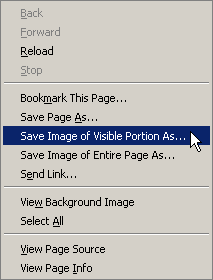
Pearl Crescent Page Saver is an extension for Mozilla Firefox that lets you capture images of web pages in PNG format. The entire page or just the visible portion may be captured. Options let you control whether images are captured at full size (which is the default) or scaled down to a smaller size. Page Saver uses the canvas feature that was introduced in Firefox 1.5.

With this add-on you can save and take snapshot of images websites and templates displayed on your desktop screen . You can download this extension for this link Pearl Crescent . [Read more of this review]

BOOST XP

1 comments


CLOCK HERE TO DOWNLOAD.........

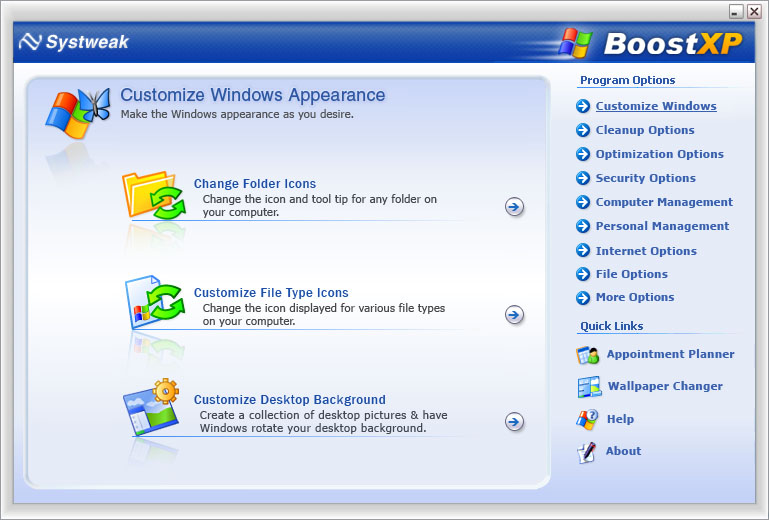
BoostXP2 is a collection of many tools that allows you to change the way Windows are set up so that it reflects your personal needs, enhance security, improve performance and much, much more. The tools allow you to customize many features on your PC, such as:

  • Windows taskbar
  • Start menu
  • Tasks manager
  • System performance
  • RAM optimization
  • Registry backup
  • Cookies management
  • Registry cleaning
  • And many, many more. This is just the start!
[Read more of this review]

10 Easy Steps to Speed Up Your Computer - Without Upgrading

0 comments

It seems that the longer you own your computer, the slower it gets! A lot of people will keep their computer until it gets so slow that they feel they need a newer, faster model. Some feel like the reason it is getting slower is because it is getting older, when that is just not the case. Your computer should run just as fast as the day you brought it home – if you follow these 10 Easy Steps to Speed Up Your Computer.

1. Empty the Temp directory regularly. After a short while, the temp directory fills up with hundreds of temp files that always get scanned over when Windows starts up and when programs launch. This slows everything down immensely.

Rule of thumb for Temp Files: If you don’t have any programs open (and nothing minimized in the bar below), then you shouldn’t have ANY temp files in your temp directory. If you do, delete them.

To delete Temp files, make sure NO programs are open, and…

a. In Windows 95, 98 or Me, go to C:WindowsTemp and delete everything inside the Temp folder.

b. In Windows 2000 or XP, it is a little trickier. First, make sure that you can see hidden folders. Double-click My Computer. Click on the Tools pull-down menu, and then on Folder Options. Click on the View tab. Scroll down and click on Show Hidden Files and Folders. Click Ok. Now you can go to the C:Documents and SettingsAdministratorLocal SettingsTemp folder. Delete everything here.

2. Empty the Temporary Internet Files regularly. To empty Temporary Internet Files, go to your Control Panel and double-click the Internet Options icon. Choose to Delete Cookies, and to Delete Files. This will clear all of your Temporary Internet Files.

3. Check your hard disks for problems.

a. For Windows 95, 98, or Me, double-click My Computer. Right-click the C-drive and click on Properties. Click on the Tools tab and choose to check the computer for problems. If you choose to do a Thorough Scan, this will do the hardware check for physical disk damage or sector damage. Choose to fix any errors it finds.

b. For Windows 2000 and XP, double-click My Computer. Right-click the C-drive and click Properties. Click on the Tools tab and choose to check the computer for problems. Click on Check Now. You will then have two check boxes. The top option is for the file check, and the second option is for the hardware (physical disk) check. Check either one, or both. At least check the top one. Hit ok, and reboot. This may take some time, but let it run.

4. An even more thorough disk check, would be to use a 3rd party utility. One of my favorites is TuneUp Utilities 2004. It does cost $39.99, but they do offer a FREE download trial of 15 days. This program does a really good job of fixing software and physical hard drive problems. It also tunes up your system for increased speed, and streamlines your operating system for peak performance. Download it HERE... http://www.lapeertechgroup.com/downloads.asp

5. Or, you can do a few of the performance tweaks yourself, if you have Windows XP. By default, EVERYTHING is turned on in Windows XP. It isn’t very streamlined for performance, but rather for appearance. You can turn off a few of the unnecessary features, and Windows will still work just fine, and maybe a little faster.

To do this, right-click on My Computer and click on Properties. Click on the Advanced tab. Under the Performance section, click on the Settings button. On the Visual Effects tab, you will see a list of check boxes. By default, these are all on. You really don’t need any of them for Windows to run. Go through the check boxes one by one, and determine which ones you can and can’t live without.

6. Turn off Active Desktop. Active Desktop turns your desktop into a web page, and allows you to have things like a real-time calendar, and up-to-the-minute weather or stocks. These are nice, but really slow down your computer. And even if you don’t use Active Desktop for anything, just having it active can cause a performance decrease. Turn it off.

a. In Windows 95, 98 and Me, right-click on the desktop and in the pop-up menu, choose Active Desktop. Inside that option, uncheck Active Desktop. If there is no check next to it, then it isn’t on. Don’t choose it. Instead, just click the desktop again to get out of the menu.

b. In Windows 2000, right-click on the desktop and in the pop-up menu, choose Active Desktop. Inside that option, uncheck Show Web Content. Again, if there is no check next to it, then it is not on. Do not check it.

c. In Windows XP, right-click on the desktop and in the pop-up menu, choose Properties. On the Desktop tab, choose Customize Desktop. Now, on the Web tab, make sure that there are no websites chosen here. If there aren’t any, then Active Desktop is not on. Cancel and go back to the desktop.

7. Install and run a good AntiVirus program to keep out viruses that can take over your system. One of my favorites is AVG. It is not only a really good AntiVirus program, but it is also FREE! If you don’t have any AntiVirus software on your computer, get AVG AntiVirus NOW by downloading HERE... http://www.lapeertechgroup.com/downloads.asp

8. Get rid of Spyware. A lot of computer users have Spyware and don’t even know they have it, much less how to get rid of it. If your computer has been taking you to websites that you don’t want to go to, or if you get pop-ups when you aren’t even on the Internet, or if your computer has been running extremely slowly lately, for no reason, you probably have Spyware.

On all of the computers that I setup, I install two different AntiSpyware programs: AdAware SE and SpyBot. These two programs are highly recommended by TechTV (G4) and other computer authorities (including my own research on Spyware) and work very well together. They compliment each other and catch Spyware that the other misses, but together, do a very good job.

Get SpyBot HERE... http://www.lapeertechgroup.com/downloads.asp. Download all updates and run the Immunize option a couple of times.

AdAware SE does a good job when you keep up on the updates and manually scan your system with AdAware. Get it HERE... http://www.lapeertechgroup.com/downloads.asp

In some cases, when the Spyware has become too entwined into your system, even a computer repair technician can’t get rid of the Spyware. At this point, it is better to just backup only what you need and have the operating system reinstalled. Believe me, when your computer gets to this point, you don’t want to just put a “band-aid” on it. Just start from scratch with a clean system. It’s the best way to go.

9. Streamline MSCONFIG. One thing that really causes a HUGE performance decrease is to have unnecessary programs running in the background. Some of these programs can be seen in your System Tray (located next to the clock). These are tiny programs that are robbing you of memory and processing power. Some of them you need, while most you don’t. Some of the programs you DON’T need are printer icons, CD burning icons, shortcuts to programs (such as video settings), AOL, any Instant Messaging Programs, etc. Just because these programs aren’t always running, doesn’t mean that you still can’t print, burn CDs or Instant Message. They can all be run from a shortcut.

You can use a utility, called MSCONFIG, to turn OFF unnecessary Start Up items.

a. In Windows 98, Me, and XP, click on StartRun and type msconfig. Click on the Startup tab. This is a list of everything that is running in the background, some of which show up in the System Tray. Now, be careful, some of these you do need. Some items to keep are Ctfmon.exe (XP), Scan Registry (Win98, Me), Task Monitor (Win98, Me), System Tray (Win98, Me), LoadPowerProfile (Win98, Me), Rundll.32, any AntiVirus programs (such as McAfee, Norton, or AVG). Others, you can uncheck, such as NeroCheck, ypager, qttask, AOL, and any other Instant Messaging programs, or printing programs. Remember, if something doesn’t work, because you turned it off, it can always be turned back on. You just have to reboot every time you make a change here. But, as you uncheck the unnecessary programs that run in the background, you will see that Windows loads much faster, that there are less icons in the System Tray, and that your system is much more “snappy” and quick to respond.

b. In Windows 2000, MSCONFIG wasn’t supplied. You actually have to download and run an MSCONFIG utility. Download the MSCONFIG utility HERE... http://www.perfectdrivers.com/howto/msconfig.html.

After you reboot, you will have a window that says that the configuration utility was edited. Just check not to show that in the future, a check box at the bottom. This just means that there was a change made to the MSCONFIG.

10. Defragment your hard drives. NOTE: to efficiently defragment a hard drive, it likes to have 25% free space. It can still do the defragmentation with only 15% free space, but it takes quite a bit longer. If you can, delete any unnecessary files before deframenting your drives.

a. To defragment your hard drives (in any Windows operating system), double-click on My Computer. Right-click on the c-drive and click on Properties. Click on the Tools tab and choose the bottom button, to Defragment Now…

Good luck. I hope this article has helped you. If you live in the Lapeer County, MI area, and would like a Professional professionally TuneUp your computer(s) in your home or business, please contact Lapeer Tech Group at (810) 793-1093, or visit our website at www.LapeerTechGroup.com

About the Author

I have worked in the IT field since 1989 and hold several Microsoft certifications. I am a network administrator and owner and operator of Lapeer Tech Group, located in Columbiaville, Michigan (just outside of Lapeer). During these years, I have supported both Macs and PCs, am an accomplished graphic and web designer, and have had the opportunity to support 2nd and 3rd level enterprise networks for GM, EDS, Delphi and Delco.

Get Free Content at ContentMart.com

[Read more of this review]

5 Ways to Give Your Web Site a Big-Company Look and Feel

0 comments

We all DO judge a book by its cover, and the same
saying goes for Web sites. I’ve seen many
entrepreneurs offer great information on their Web
pages, but compromise their image dramatically with a
few amateur mistakes that can be VERY unforgiving.

If you want to attract high quality clients and
customers, and convey that you’re a legitimate,
credible, and sought-after business, these five points
are a great launching pad to give your site that “big
company” look and feel.

<<>>

The one your kid created for you doesn’t count! I’m
talking about paying a designer to do one for you, and
it doesn’t have to cost in the thousands. If you don’t
have much of a budget, consider the following options:

For my E-zine Queen site, I used an online logo
service called “1800MyLogo”
(http://www.1800mylogo.com). At the time they charged
only $199 to design a professional logo based on my
business, style, and personal preferences. The whole
process only took about two weeks and was conducted
entirely over the Web. (To see the final result, take
a quick peek at http://www.ezine-queen.com)

I’ve also heard good things about
http://www.gotlogos.com, where you can get a quick Web
site logo for only $25!

<<>>

It’s just a fact that folks will feel safer shopping
at a site with its own domain name.

For example, if you were shopping online for a
circular saw, would you be more likely to purchase
from a hardware site called “www.bobshardware.com” or
the one whose URL is
“www.geocities.com/3339/bobshardware?” (This is a
fictional example, by the way.)

Having your own domain name implies you’re a “real”
company, and not Uncle Bob working in his kitchen at
night (even though you my very well be ; )).

There are several “bargain basement” places to buy
domain names, but the two most popular and credible
are still:
http://www.register.com
http://www.networksolutions.com

<<>>

Nothing screams “amateur” like sending out
professional e-mail from a handle like
“fuzzybear4u@hotmail.com.” Once you get a domain name
for your Web site, have your hosting company set up a
professional e-mail *alias* for you.

Let’s go back to Bob, for example. Suppose Bob’s
e-mail has always been “BobSmith0002@earthlink.net.”
Now that he has his own domain name, he can instead
use
“bob@bobshardware.com”. He still KEEPS his Earthlink
address, because that’s where he’ll actually receive
his mail. But he should only GIVE OUT the new one on
his Web site, business cards, etc.

If you use Outlook Express or a similar e-mail
program, you can set it up so that your e-mails ONLY
show your e-mail alias and NOT your personal e-mail
address. (To do this in Outlook Express, go under the
“Tools” menu. Then choose “Accounts.” Then select the
account you use, and click “Properties.” Enter your
e-mail alias in both the “e-mail address” and “reply
address” fields.)

<<>>

This can mean either hiring a designer to do a custom
site for you, OR designing it yourself. Unless you’re
both trained extensively in HTML and have a background
in design, it’s well worth the money to hire someone.

Find prospective designers who work with small
businesses, ask to see samples of their work, and be
upfront about your budget. If their rates are higher
than you can afford, ask them if they have any
pre-designed Web site templates they can just insert
your information in, cutting down tremendously on
design time and cost.

If you do want to put together your own site, check
out the “corporate” section of
http://www.freewebtemplates.com for several neat
designs you can use at no charge. (TIP: Avoid the ones
with colored backgrounds; they’ll make it more
complicated for you, and your text will be harder to
read.)

Whatever design you choose, make it CONSISTENT on
every page of your site, by using the same design
elements such as borders, fonts, and colors.

<<>>

Most of us (and rightfully so) are leery of purchasing

online from a company we’ve never heard of before. To
alleviate our fears, put contact information on every
page if you can, with a physical mailing address,
phone number, and e-mail address.

If you’re uncomfortable posting your home address,
lease a box at a mailing and shipping center and use
that address. Avoid using “P.O. box” in your address
if possible, which can appear suspicious. Real
companies have real addresses!

Also, get a *toll-free* number if you can — it really
says “big company.” I got mine from my long distance
provider, 1Com (http://www.1cominc.com), because they
charge no setup fee or monthly fees — I only pay for
the incoming calls at my usual great long distance
rates.

About the Author

Copywriter and consultant Alexandria Brown's FREE
biweekly e-zine, "AKB MarCom Tips," gives how-to tips
on creating compelling Web sites, brochures, and
e-zines. Learn easy ways to "write to sell" and
attract new customers today! Subscribe now at
http://www.akbwriting.com or via
mailto:AKBMarCom-On@lists.webvalence.com

Get Free Content at ContentMart.com

[Read more of this review]

8 Key Actions for Protecting Your Privacy Online

0 comments

Are you at risk of losing your privacy? Answer the following three simple questions:

Do you shop or bank online?
Do you use an "always on" high-speed Internet connection?
Do you connect to the Internet from your home computer?

If you answered "yes" to any of these questions and you have a Windows computer – then you are at risk. Your computer needs to have the appropriate protections and you must take extra steps to secure your computer and protect your privacy.

Why is this so critical?

A recent study on Internet security sponsored by America Online and the National Security Alliance found that while most people thought their computers were secure upwards of 80% contained monitoring software known as "Spyware."

Spyware allows companies to download information from your computer without you even knowing it. Spyware represents a direct threat to online privacy and security.

But you can put a stop to it.

Here are 8 key actions for protecting online privacy:

1. Use a Personal Firewall. In addition to using an Anti-Virus program, a personal firewall is mandatory as it will block unwanted connection attempts. Sygate's Personal Firewall is a top-quality firewall and it's free for personal use. http://smb.sygate.com/products/spf_standard.htm

2. Use a Spyware removal program. You can't rely on your Anti-Virus program to find and remove all instances of Spyware. Ad-Aware from Lavasoft is free for personal use. Recommendation: run a full scan at least once a week. http://www.lavasoft.de/

3. Change to a More Secure Internet Browser. Due to the numerous security exploits targeted specifically at Internet Explorer, consider using another web browser. An excellent free alternative is "Firefox" from Mozilla. Not only is it more secure, you get a built-in pop-up blocker and Google search tool. http://www.mozilla.org/products/firefox/

4. Never provide personal or financial information to a non-secure website. A "secure" website is indicated by "HTTPS" in the address bar, and a small padlock icon in the lower right-hand corner of your browser window. http://www.verisign.com/advisor/check.html is a free place to check your browser's security capabilities.

5. Never provide confidential or financial information in response to an email request. Legitimate companies will never ask for personal or financial information over an insecure medium like email. Attempts to trick people into revealing personal and financial information through impersonated email messages is known as "Phishing." Some of these messages look very official and may come what appears to be a bona fide bank or company. Beware! When unsure if an email message is genuine it's best to telephone the company in question. Phishing email messages may be reported to http://www.antiphishing.org/.

6. Read the fine print before typing in private personal information. Always read the privacy policy of a website to understand how they will use your information. Will they share or sell it? Be suspicious if no privacy policy is visible.

7. Never download or accept any file or program from an un-trusted source. Adware and Spyware are frequently bundled with "free" programs. You may download one program and find that your computer becomes infected with a Spyware programs.

8. Be wary and virus check all email attachments. Never open an unexpected email attachment, even from known friends or business senders. Their computers may be infected. Self-spreading worms can infect a computer and then send an infected email-attachment to everyone in the owner's address book.

Malicious Internet threats are clearly a formidable enemy; however, the good news is that tools and information are readily available so that you can enjoy the Internet without putting your computer and confidential information at risk.

About the Author

Doug Partridge is co-author of a new eBook, "How to Secure Your Computer Using Free Tools and Smart Strategies." Get all the tools and information you need to thoroughly secure your Windows computer and private information from malicious threats on the Internet.
Get Secure Now => http://www.SecureYourComputer.Net

Get Free Content at ContentMart.com

[Read more of this review]

AdSense Decorator

2 comments


DOWNLOAD HERE .......

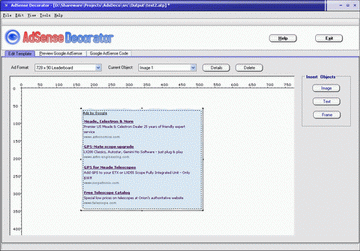
AdSense Decorator is designed for webmasters who apply Google AdSense
on the websites.

It is used to compose background images for Google AdSense displaying.
With the AdSense background images, webmaster can easily integrate
Google AdSense into the websites, and may greatly improve the AdSense
click through rate (CTR).

The AdSense Decorator is not only an image composing tool, it also has
many features designed for AdSense. By AdSense Decorator, you may customize
and preview Google AdSense easily. And the AdSense code are generated
automatically. [Read more of this review]

Why Hide Your IP Address?

1 comments

Hiding your IP address is the best way for surfing the net anonymously. IP address is the Internet protocol address. This is the unique address of a computer on the Internet. The IP address consists of four numbers divided by periods. These numbers indicate the domain, the subnetwork, the network and the host computer. Each IP address mostly has an equivalent domain name address, spelled with four letters. It is very important to hide your IP address online. Hiding your IP address online ensures that your personal information is not leaked out to the outsiders.

By installing software in your PC, you can hide your IP address. Anonymous surfing of the web will enable you to safeguard your Internet privacy. There is nothing illegal in hiding your IP address, for the proper reasons. If you have any doubt regarding this you can always consult your legal advisor. The legal advisor can guide you about the matter.

An IP address changer can help you change your IP address when you are surfing online. The tools of IP address changer will let you change your IP address anytime by routing your Internet traffic through an overseas server. The tool has drop down box that enables the user to choose an IP address from one of the countries mentioned in the box. Hiding your IP address is the best option to protect your self from any kind of fraud.

Hiding your IP address also enables you to protect your computer from spyware. Spyware is the software that monitors the activities of the user of a computer. Some webmasters and software producers offer free downloads for your computer. Most of the free downloads are embedded with spyware. After you complete the download, the spyware gets installed in your computer and your activities can be monitored.

Hiding your IP address also gives you freedom from the constantly bombarding pop up ads in your computer. Whenever you enter a website, you will be flooded by the pop up ads. Constant flooding of the pop up ads in the computer can be very irritating and disturbing for the user. The efficiency of the computer also gets diminished due to this. Your computer can stop functioning when you have an urgent piece of work to do. Hiding your IP address will protect you from such situation.

The main advantage of hiding your IP address is that you are protected from any website that wants to monitor your online habits and activities. Hiding the IP address also makes sure that you do not receive any junk or bulk emails in your inbox. Good software for hiding your IP address will keep your computer safe from the hackers. If the software has the ability to support frequent IP address change, the chances of protecting your privacy increases.

You can also use the web-based email to send anonymous email to people. This can sometimes be necessary for your work. Your IP address is meant for your personal use and nobody has the right to misuse this without your permission.
[Read more of this review]

Explanation of Virus

1 comments

WHAT IS A VIRUS?

1) Virus is a little program whos activity can destruct/destroy some files and a computer system. If this program does not open, it's inactive and could not or will not destroy anything.

WHAT IS A VIRUS-EMAIL?

2) The virus program is brought to you by an email as attachment. It has a server itself (virus server). File virus attachments cannot go to another email, such as an email was sent by user (netter), member, moderator etc to be as their attachment. It must be brought to you by email itself,that we called EMAIL Of VIRUS.

WHAT'S THEIR ADDRES?

3) EMAIL OF VIRUS would be sent by any email address of any account, that it found and cracked from some mailbox or address-book of other person anywhere. So that why the email of virus looks like it was sent by our friend, our member,our moderator etc..... even it is able to email a virus by our own email address.

HOW TO SEE IS THAT A VIRUS ATTACHMENT?

4) To identification of virus attachment:

a). it has a small size ( <150kb>
b). it has extension file name such as below:

*.scr
*.clp
*.pif
*.bat
*.exe
*.com
*.txt
*.doc
*.lhz
*.rhz

and some time it's compressed by *.zip file.

Also by the fake name HotMovie.MPEG__________scr.

Actualy the file is virus file with extension .scr


HOW TO SEE IS THAT AN EMAIL VIRUS?

5) You are would able to understand an email virus from their SUBJECT, most of them contains an amazing statement or unsusal word, such as below:

Weah ^_^ :))
Hokki=)
Hi :)
ello!=))
Hello -:))
Hey, dude, it's me ^_^
access Mpeg
Re:your text
Re:Text message
Re:Msg reply
Re:Is that your document?
Re:Hot Movie(MPEG)
Re:Information...
Re;Important info
Re:This is your photos!:)

and more, and more...

If you received emails with the subject matter as above, you
should delete even with out openin.


NOTE:

Don't have words in ur email subject which resembles a virus mail Otherwise your email would be deleted by recipient[s].

BEAWARE it's dangerous.

*** If one of your file is infected by virus, it will change into function of a virus and might infecte all files in your hard disk.

Thanks & Regards
,
[Read more of this review]

Ways to Make Money On-line

0 comments

Are you making money hand over fist with your website? If you are then you don’t need to bother reading this article because it is not for you. If you are like most of us your website sales are slow and unpredictable and you need to think of new ways to make money online without taking more time and effort. All of your time should be dedicated to producing your product, right? Well, here are just a few ways to make a little bit or a lot of money online without any effort.

1. Affiliates
Sign up to become an affiliate for other businesses that are on the net. I only sign up with the companies that I honestly would recommend to anyone. All that you have to do is refer your customers to these sites. Once one of my referrals makes a purchase, I receive a small payment. With some of the affiliate programs the fee is quite large.


2. Google Ads
I was not too sure about this one but I signed up and I am now convinced. The first week that I had Google ads on my website I made $.18 and the next week I made $6.45! Wow! Big boost. If I keep this up, I just may be able to pay for my web host by the end of the month!

3. Google Search
Works close to the same way as the ads. People use your search tool, make a purchase and then you are compensated.

4. Amazon
Another great tool that will trickle in a few dollars here and there, all for 10 minutes of your time putting a little code into your website and Amazon does the rest.

5. Selling Ad Space
You could sell ad space if you have a site that has high traffic.

6. Selling Subscriptions to Your Newsletter
If you have a newsletter that has high demand information, you could charge for your newsletter.

7. Selling Ad Space in Your Newsletter
Sell ad space in in your newsletter. Same drill as with ad space on your website. Just put a box on your newsletter with a note inside it that says "Your Banner Could Go Here" Then have a page that tells how many subscriber that you have, how often your newsletter goes out and what type of content it usually contains plus the price per ad.

8. Selling E-Books
Do you know something about your craft or hobby that you know people would pay to learn as well? Then sell it in an e-book. What a great way to make a little extra money. You take the time to write a good quality e-book then just fill the orders. You could even set it up so that once the e-book order has been processed and paid for, it goes out automatically using an auto responder without you even having to lift a finger, except to go to the bank to collect your money.

9. Consulting - Offer your services
Do you sell wedding supplies and know all of the best suppliers around? Do a little research and offer your services as a wedding coordinator. Offer your assistance to the people that want to plan their own wedding, but need a little bit of help.

Remember, you wont get rich with just one of these programs, but you just may make a tidy little sum every month with a combination of all of them.
[Read more of this review]

Make Firefox Faster

1 comments


These are few steps to make your firefox run at lightining speed.

1. First in the URL bar, Type “about:config”. This will bring up a list of commands and variables you can edit.

2. The second step is to put “network.http.pipelining” in the filter and change the value to “true”.

3. After that you will want to put “network.http.proxy.pipelining” in the filter.
Like the last one, make that value set to “true” also.

4. Next, locate “network.http.pipelining.maxrequests” and change the value to some number higher, say 10,20 or even 30, it would make up to 10,20 or 30 requests at once.

5. The last step is to right click anywhere and select “New” then “Integer”. Name it “nglayout.initialpaint.delay” and make its value “0″. This will make the browser respond faster on the information of the websites it receives.

6. Close out FireFox (make sure FireFox is closed by viewing the Task Manager) and restart it and enjoy the new mega speed

[Read more of this review]

PC PRIVACY

1 comments

Your Privacy. In Your Control!

My PC Privacy is a web based software that tells you which of your private information is recorded on any computer you use, anywhere! It also helps you keep your privacy the way it should be – private, by cleaning up your tracks whenever you want.

Features :-

Scan your PC. We use a web based scan to determine what is on your PC. We don’t download any software to your PC or store any information. This way, you can do this from any Computer, anywhere in the world. Whether it’s at an internet café, your mom’s computer, …you can always scan it and clean it up.

Find out what others may see on your PC. Whether it’s your employer, spouse, room mate…or, in worst case, a hacker. See what they can see! .

Take privacy in your own hands. Start managing what private info can be “beemed” to the world by your PC, and what info should remain private. Schedule regular Privacy clean up. Use it anywhere, on any PC. Always protect your Privacy!.

TRY FREE PC SCAN NOW CLIK HERE [Read more of this review]

GET TRAFFIC TO YOUR BLOG

0 comments

I was searching for this funda from last 2 months and now i got the success . I have created a new method of publicity for my blog . I will type what i did then give me your suggestions .

First i used to collect email id's in day and in night i send email's on those id's but not successful, then i searched and got one software email extractor , which is totally free to use . Then i went to yahoo groups and signed up to more than 34 groups related to my blog and then in Google groups . After signing these groups i started receiving 500 to 1000 emails per day .most of them are forward emails and contains more then 20 to 30 mail id's , i started copy all those email id's and paste them in my folder daily and after 24 days i set up that email extractor and put my email id's folder in that and extract that folder . what was the results :-

Previous folder which was not extracted was containing more than 200,000 email id's and now the result i got was 15,678 email id's no one was repeated .

Now just think you have so much id's just start doing mails man . At least do 200 to 300 mails daily by out look or you can mail by bulk software but we no 70/100 doesn't read bulk mails .

You can download that extractor free here or are you lazy then download extractor and email me i will send you a bunch of email id's . atulperx@gmail.com

download.........
[Read more of this review]

My PC Doctor

1 comments

Pull into My Pc Center for a free pc tune-up!

My Pc Center is the leader of innovative computer diagnostic and maintenance software development. We strive to make computer not a science, but fun and easy so that users of all levels can enjoy their computer use safely and painlessly. We also bring much needed clarity into this market arming the consumer with information that helps them make decisions they were not able to make before, or were not able to make them accurately. We seek to erase the “car mechanic effect” out of the pc repair world.

You no longer need to rely on a sale person at a retail store or an expensive computer technician to tell you what you need. You will always know what your pc needs because of My Pc Center.com. We provide valuable information that helps you save money, time and frustration. We also provide products that make your pc run better and increase your productivity.

[Read more of this review]

Make XP look like Vista

0 comments


Make XP look like Vista! by ZDNet's Adrian Kingsley-Hughes -- I've had a number of people ask me what I think of the transformation packs that allow you to make Windows XP look like Windows Vista. I had to be honest and say that I'd never tried to do this because I've been running Windows Vista betas for months. Anyway, the other day I was creating some operating system new images in VMware and Virtual PC and I decided to give it a go. [Read more of this review]

WavePad (zip)

0 comments

WavePad is a sound editor for Windows that lets you make and edit voice and other audio recordings. You can cut, copy, and paste parts of recordings and, if required, add effects such as echo, amplification, and noise reduction.Version 3.01 may include unspecified updates, enhancements, or bug fixes.

For more information and to download it visit :-
WWW.ZDNET.COM


[Read more of this review]

Adsense Preview tool

0 comments

Google AdSense™ automatically delivers ads targeted to your website content. The more targeted your pages are for one or two topics, the better the ads are likely to be. This free preview utility will give you a sense of which ads would be placed on a given page.

The ads shown on your pages will change over time as your content changes or the inventory of Google ads changes. You should check back here often to review which ads will be shown when you're working on updating your pages.

Enter your blog's , website , webpage url in the bracket and check out which adds which be showed on your blog according to target.

View Google AdSense for URL:

Brought to you by Acme Technologies
GR8 TOOL BY ACME TECHNOLOGIES .

[Read more of this review]

3 Things All Affiliate Marketers Need To Survive Online

0 comments

Every affiliate marketer is always looking for the successful market that gives the biggest paycheck. Sometimes they think it is a magic formula that is readily available for them. Actually, it is more complicated than that. It is just good marketing practices that have been proven over years of hard work and dedication.
There are tactics that have worked before with online marketing and is continuing to work in the online affiliate marketing world of today. With these top three marketing tips, you will be able to able to increase your sales and survive in the affiliate marketing online.

What are these three tactics?

1. Using unique web pages to promote each separate product you are marketing. Do not lump all of it together just to save some money on Web hosting. It is best to have a site focusing on each and every product and nothing more.

Always include product reviews on the website so visitors will have an initial understanding on what the product can do to those who buys them. Also include testimonials from users who have already tried the product. Be sure that these customers are more than willing to allow you to use their names and photos on the site of the specific product you are marketing.

You can also write articles highlighting the uses of the product and include them on the website as an additional page. Make the pages attractive compelling and include calls to act on the information. Each headline should attract the readers to try and read more, even contact you. Highlight your special points. This will help your readers to learn what the page is about and will want to find out more.

2. Offer free reports to your readers. If possible position them at the very top side of your page so it they simply cannot be missed. Try to create autoresponder messages that will be mailed to those who input their personal information into your sign up box. According to research, a sale is closed usually on the seventh contact with a prospect.

Only two things can possibly happen with the web page alone: closed sale or the prospect leaving the page and never return again. By placing useful information into their inboxes at certain specified period, you will remind them of the product they thought they want later and will find out that the sale is closed. Be sure that the content is directed toward specific reasons to buy the product. Do not make it sound like a sales pitch.

Focus on important points like how your product can make life and things easier and more enjoyable. Include compelling subject lines in the email. As much as possible, avoid using the word “free” because there are still older spam filters that dumps those kind of contents into the junk before even anyone reading them first. Convince those who signed up for your free reports that they will be missing something big if they do not avail of your products and services.

3. Get the kind of traffic that is targeted to your product. Just think, if the person who visited your website has no interest whatsoever in what you are offering, they will be among those who move on and never come back. Write articles for publication in e-zines and e-reports. This way you can locate publications that is focusing on your target customers and what you have put up might just grab their interest.

Try to write a minimum of 2 articles per week, with at least 300-600 words in length. By continuously writing and maintaining these articles you can generate as many as 100 targeted readers to your site in a day.
Always remember that only 1 out of 100 people are likely to buy your product or get your services. If you can generate as much as 1,000 targeted hits for your website in a day, that means you can made 10 sales based on the average statistic.

The tactics given above do not really sound very difficult to do, if you think about it. It just requires a little time and an action plan on your part.

Try to use these tips for several affiliate marketing programs. You can end up maintaining a good source of income and surviving in this business that not all marketers can do.
Besides, think of the huge paychecks you will be receiving…

About the author:

Alan Richardson,owner of Home Business Discovery where you can find a multitude of resources designed to achieve maximum home-business success. [Read more of this review]

Firefox 2

0 comments


Firefox with google search option is like bread with butter . Use of both combined things is best on web . Search anything with good security than others The award-winning Web browser is now faster, more secure, and fully customizable to your online life. With Firefox 2, we’ve added powerful new features that make your online experience even better.
Enjoy a Better Web Experience

There’s a lot to do on the Web, and Firefox 2 is full of helpful features to make your time online more productive.

Stay Secure on the Web

The Web is a great place, but sometimes you’ll encounter bad people. Firefox keeps you safe from spyware, hackers, scammers and spammers, using the power of a vigilant and passionate community to protect you 24/7.

Personalize Your Browser

Choose from thousands of useful Add-ons that enhance Firefox. It’s easy to personalize Firefox 2 to make it your own.

[Read more of this review]

The One Simple Trick That Can Double Your Adsense

0 comments

I've been working with Google's Adsense program for a while now. If you're not
already in the program, why not take a look at it now at
https://www.google.com/adsense. I really like Adsense. It makes me money
and it's easy to work with. Just some simple copy & paste into your webpage
and you're done. Right?
Wrong! You can do it that way if you want. Who knows? Maybe you'll get lucky
and get a lot of clicks. But if you're really serious about making a lot of money
with the program, you're going to have to tweak it a little.
I've invested quite a bit of time experimenting with the program. When I first
signed up, I got some clicks and made a tiny bit of money. That wasn't good
enough. I knew there must be a way to get more of my visitors to click on the
ads.
Google has a strict policy about not pointing to the ads in any way or asking
people to click on them, so there were two things I couldn't do. What else was
there?
Then I remembered reading an article once that discussed the psychological
impact of colors on the human mind. I started researching everything I could
find on the subject.
After a lot of reading, many tests and periods of watching my clicks go up and
down, I found the one color combination that seemed to work the best.
Testing previously done at supermarkets had revealed that the same product
could pull more sales from just changing the colors of the label. What were
these colors? Red and yellow! The combination of these two colors has an
immediate impact on the person who sees them. They make your eyes stop and
focus. They pull your eyes right to that part of the page. They grab your
attention! I'm not sure exactly why the combination of red and yellow does this,
but it does. On one of my sites, I changed my Adsense ads to a bright red
border and a yellow background with black text and URL.
My click through rate more than doubled with just that one simple change.
That's what worked on my site. Your site's color scheme may work better with a
slightly different color combination. Try lots of different color variations. Make a
change in the morning and let it ride for the whole day. The next morning, try a
different set of colors. Change the border, background, text. Change everything
you can. Most importantly, keep detailed records of the color scheme you used,
click ratio and revenue generated.
After you've done all the experimenting you want to, go back to the most
profitable one and let it run for a week or so and see how it does. I'm always
trying different colors even after my run of good clicks with red and yellow.
There are a lot of color combinations to choose from. You never know when
you'll find just the right one.


AUTHOR
Brad Bahr
FOR MORE VISIT
http://www.no-nonsense-internet-marketing.com

brad_bahr@no-nonsense-internet-marketing.com

[Read more of this review]

How to Monetize Your Free Website

1 comments

For some time now I have been aggressively marketing my Geocities website
without the prospect of any financial return. The site is content based so I did
not expect to generate any product sales and neither was I able to lure potential
sponsors.
But that has quietly changed. Google has decided to reward webmasters with
quality free websites the chance to rake in some cash for their hard work.
Google’s contextual advertising program Adsense has been around since June
2003. Back then the program was open only to webmasters with their own
domain names and many quickly took up the opportunity to cash in on their
labor of love sites.
When the Big G announced that they were expanding Adsense to accommodate
free sites, some people scoffed at the idea because they believe that freebie
sites are full of junk.
I first learnt of this move while browsing around a few webmaster forums and to
my surprise some persons were against this move by Google. I believe that
Google’s intention is to bring in as much as possible quality websites under the
Adsense umbrella.
My first application for Adsense was rejected and I got an explanation stating
that my site was still under construction. I thought that this was a mistake so I
reapplied the same day and got accepted. Right away I was able to log in to my
account and start putting the code for the ads on my pages.

The control panel is easy to understand and Google provides stats and figures in
order for you to track your performance. You can also add Adsense for search
where visitors can search the web or your site and you get compensated
everytime someone clicks on the ads displayed.
Developing content sites is key to success in Adsense. Why? Because Google’s
technology uses the content of each page to guess which ads are most suitable.
The higher the quality of the content, the higher quality and paying ads you will
attract.
Please note that getting accepted into Adsense does not guarantee that you will
receive a check from them. Your success depends on many factors.
Some of them include the number of visitors, the placement of the ads, the
value of the keywords on the page where the ads are shown and how many
persons who will clickthru on the Adsense ad panel.
For those with unscrupulous minds, Google has ways and means to find out
where each ad click is originating from. Therefore no click spamming.
Adsense is a win-win situation for all the players involved. It benefits the visitors
with additional information, the search engines because of higher quality
websites and you with a check every month. [Read more of this review]

Ban on MP3 transmitters is lifted

1 comments

An Apple iPod connected to a radio transmitting device
The devices allow iPods to be used in cars
Ofcom is legalising the use of FM transmitters that allow iPods and other MP3 players to play through car radios.

The use of devices, such as Griffin's "iTrip", was banned in the UK as their transmissions can interfere with broadcasts by legal radio stations.

However, the device and other similar accessories for MP3 players have been widely available online.

Now certain FM transmitters, which can be tuned to spare frequencies, will be legal from 8 December.

Ofcom will also remove the need for a licence to use Citizens' Band radio.

The regulator's move follows a public consultation exercise.

Stamp of approval

The devices fell foul of the Wireless Telegraphy Act of 1949, which forbids the use of radio equipment without a licence or an exemption.

But strong consumer demand for the devices led Ofcom to rethink the legislation

Liberal Democrat MPs were also prominent in asking for iTrips and similar devices to be legalised.

The new Wireless Telegraphy (Exemption) (Amendment) Regulations 2006 mean that certain low-power transmitters will now be legal.

However, many devices currently on the market will remain illegal as they do not meet the legally required technical specifications and could interfere with radio broadcasts.

The new amendments will also reflect a European standard on the low-power transmitters.

All approved transmitters will carry a CE mark indicating approval for sale in the European Union.


by bbc news

[Read more of this review]

The Buzz about Blogs

1 comments

The "blogosphere" is continuing to grow at an amazing pace. In fact, the number of published blogs is expected to double about every five months.

Right now, there is a new blog published every second, according to Technorati, the search engine that keeps track of Weblogs. In March there were over 7 million blogs, that number is now over 14 million.

Weblogs have become the homepages of the 21st century and are used for everything from sharing recipes, personal opinions and travel adventures, to the latest in political and economic news.

Blogs are also facing their share of controversy and praise. Reporters Without Borders recently published their "short list" of the seven best blogs out of 60, which won the "Freedom Blog Awards" for defending freedom of expression.

Winners (who are chosen by the public who vote for their favorite blogs) included "Shared Pains" which describes life in Afghan, and Mojtaba Saminejad, an Iranian whose blog is published in the Farsi language. (He received a two-year prison sentence in 2005 because of his blog). Another winner, Jeff Ooi, publishes the Malaysian blog "Screenshots" which is in English. Because he allowed a comment on his blog back in 2004 which reportedly "insulted Islam" according to authorities, he was also threatened with imprisonment.

This award marks the first year for the event, but Reporters Without Borders hopes to make it an annual one. The organization follows and reports on freedom of the press around the world.

In oppressive countries, such as Iran (which shut down almost all independent newspapers in 2000), blogs have provided a way for journalists and others to express themselves and share the latest news and happenings. But speaking up in such places often has serious consequences, such as one blogger in Iraq who was jailed by authorities after speaking up about what was simply a local problem.

China is another repressive area. Recently Chinese authorities declared that all bloggers had to register their blogs with them, or risk being shut down.

To help combat these and similar problems around the world, organizations are being set up to provide global support among bloggers for those who are being repressed.

One of the biggest controversies right now, is whether bloggers should receive "journalistic" status. Some people see blogs and bloggers as a kind of counterbalance to what they see as media arrogance, while others call them vigilantes. Recent events with Newsweek, CBS News and others have caused a division between the main stream media (MSM) and bloggers who feel the "truth is out there" and they want it told.

One thing both bloggers and the mainstream media agree on, is that things have been forever changed. The tools of mass media are no longer the property of the press alone, they're also freely available to the people. What that means to us in the future, or what changes blogs will bring about to the way we receive and act on the news we get, no one really knows.

Not as controversial, blogs have also become a mainstream tool of large and small businesses everywhere.

Blogging provides a simple and low-cost method for businesses to stay in touch with their customers, get free publicity and build a business brand.

As technology continues to evolve, and the number of blogs continues to rise, it remains to be seen whether blogging will remain an effective business and marketing tool. But one thing is for certain - blogs are here to stay.

[Read more of this review]

Adding audio to your web site

0 comments

About the Author What do you do with your intranet or internet site once you've added words and pictures? How about adding audio as well?

Audio is friendly, direct and ideally suited to getting complex messages across in a short space of time.

It's now getting easier to add audio to the net, thanks to increasing bandwidths and innovative new ways of compressing data.

The problem has been that CD-quality audio has traditionally been the preserve of ISDN- and ADSL-equipped users. Basically, there has been too much data to fit down the pipe.

But, borrowing on the same techniques that are used to compress digital photographic images, it is now possible to compress sound to make it fit down a standard dial-up 56KBps modem line.

The trick is to compress the audio in a way that doesn't sound offensive to the ear, but can still pass along the line at about 3 kilobytes per second, given that a dial-up modem downloads at about 4-ish kilobytes per second.

The next trick is to use streaming technology that can start to play the audio while it is still downloading. As a long as it is downloads fast enough you don't get annoying stops and starts. You should also end up with a "buffer". In many cases, the whole audio file will have downloaded long before the user has finished listening to it.

The volume of online streaming audio grew by 118 per cent last year, according to market researchers US-based AccuStream iMedia Research and the top ten internet radio stations received an average of 137.5m tuning hours in the same period, up from 63m in 2003.

Typical audio formats are Real's Radio Player (as chosen by the BBC), the ubiquitous MP3 (as featured on thousands of youngster's personal hi-fis) and Macromedia Flash.

MP3SoundStream (http://www.mp3soundstream.com/cgi-bin/cppro/go.cgi?snichols1)uses Flash and works well as 98% of computers already have the Flash plug-in and the rest can easily download it. Flash takes the MP3 file, combines it with an audio controller button and streams it for you off any server, which means low-cost and ease of use.

So once you have the technology in place, what can you record? The answer is anything. Adding audio to an intranet lets you record a weekly message from the CEO or a sales message. Or why not have a weekly news round-up?

The audio can either be recorded straight into your PC via a microphone and soundcard, or recorded on a Minidisc recorder and then digitised into the computer. Once there you can add music, voiceovers, cuts and fades with a program like Adobe Audition or Sony Soundforge. Music can be bought online for just a few pounds and you can even use free audio editing programmes, like Audacity.

What was once the preserve of the BBC and other high-end radio studios is now available on a desktop computer near you - but only if you have the skills to match.

FAQs (291 words)

Q. What is streaming audio?
A. It is audio delivered to your computer that can be listened to while it is still downloading.

Q. What's the advantage over other audio formats?
A. You don't get an annoying delay while the whole file downloads.

Q. What do listeners need to have on their computer?
A. A soundcard and speaker(s) or headphones, their normal browser software and a so-called plug-in - a small piece of software that converts the data into sound.

Q. This all sounds expensive - is it?
A. Not really. You can get free programs to record your sound, a computer microphone costs less than a tenner and there are free audio editing programs available on the net. You then need to convert the audio file to a streaming format, but there is an increasing amount of software available to do that too. You also need to think about a MiniDisc recorder as these have superseded cassette tape for most applications. Royalty-free background and intro music is available on CD and via the web for a small fee.

Q. What is the quality like?
A. Judge for yourself - visit www.infotechcomms.co.uk/info10.htm and listen to the demonstration programmes. The trick is to get the quality as high as you can, but still make it playable on an average modem-equipped home computer. Once everyone has broadband it will be CD-quality for all.

Q. How do I find out more?
A. There is a list of useful links at http://www.infotechcomms.co.uk/info11.htm

ENDS

Steve Nichols (steve@infotechcomms.co.uk) runs InfoTech Communications, which specialises in online communications. He has acted as consultant and trainer for many blue-chip companies including Aviva, AWG, Shell, Standard Life, HBOS, BNFL, AstraZeneca, Diageo, Accenture and Australia New Zealand Bank.


[Read more of this review]

How to save money on the Adwords network

0 comments

How to save money on the Adwords network

Over the years I have had many accounts with Adwords, spending a small fortune with the Adwords service. So naturally I have picked up many cost saving tricks. I am aware that most people feel Adwords costs too much and delivers little results, this is completely untrue. Adwords is a service that is here to help us, so I have written this article to help web developers make the most out of the service.

1) Set your currency,
First and foremost, select the currency of which you locally trade in. You may think its wise to start your Adwords account in USD, but if you do not live in the USA you may get a shock when you find how much you have been charged.

2) Use negative keywords,
You are using the Adwords service to generate website traffic, so obviously you want the right traffic to generate revenue. Start by using negative keywords for people whom you do not want to click on your advert, the best place to start is the keyword “free”. As I doubt you want to waste money on traffic that will not generate revenue.

3) Make a strict daily budget
Make sure you have set out a daily budget, Adwords generally advise a way out of proportion budget. After all most new Adwords customers have no idea how effective the advertising will be. Do not start off with a bang, your pocket will feel it.

Just as important as the budget, be careful with the CPC rate. I advise you to start with a low number, each click soon adds up very quickly. I actually found that by lowering my CPC rate by 50% I doubled my visitor count…

4) Check those clicks!
One of the most talked about problem with Adwords is, click fraud. There are two main types of click fraud: the first is when any one starts clicking away at your advertisements trying to waste your money. It is very hard to stop this kind of fraud, if you are a victim stop your ads and file a report to Google ASAP.

The second main issue is now that google allows Web Developers to earn money off their websites by placing ads (Adsense) .some Web Developers try to cheat the system by clicking on their ads as much as possible. The best way to stop this kind of fraud is check your page log, Adwords allow you to block out websites that you do
not want your advert to be placed on.

Adwords does not have many protections against Click fraud, although they do disable Adsense accounts who cheat. Google are very hesitant to refund the victims, if at all. Reports tell many organisations are actually suing Google to get their money back, so be careful.

In this article I have illustrated some of the most beneficial ways to save money when advertising with Adwords. My main advice to you is, do not go crazy with your spending. You may not see the results you are after, it does take a while to get to know Adwords. I have had many successful ad campaigns using the Adwords network. However I do advise to look around, with the ever growing popularity of MSN search you may actually find it much more affordable.


About the author:
Steve is the owner and operator for Private Mail Services. http://www.private-services.com We endeavour to keep your personal life totally safe and private. http://www.private-services.com
[Read more of this review]

LEARN ENGLISH FREE GET YOUR AUDIO NOW

1 comments


FRIENDS , Everyone know that we learn only when we listen things again and again and so i collected few best audio . Now i want that everybody get benefited by them so if anybody wants to brushup his english like me , just email me at ATULPERX@GMAIL.COM and i will send you all audio's for free and even if any one want's more then i can tell you few sites which is used by top mnc companies to check english in interviews tests .Buy those sites you can learn latest words even brush up your grammer at top levels. [Read more of this review]

Global MU Online 1.0.02

0 comments


DOWNLOAD HERE ...

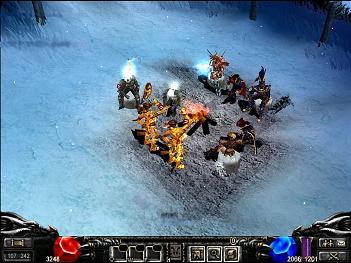
MU is a full on 3D MMORPG that is the first of its kind. MU is a highly involved fantasy Role Playing Game based on the legendary Continent of MU. You are given the choice of selecting between one of four classes, Dark Knight, Fairy Elf, Dark Wizard and Magic Gladiator, and become a daring adventurer in the quest to save the land of MU. Version 1.0.02 may include unspecified updates, enhancements, or bug fixes. [Read more of this review]

Make Money Blogging

2 comments

You have created a blog and your blog is dedicated to a niche industry. Have you ever thought that the blog could make money for you? We would look here in this article, ways and means, to make money blogging. Lets first have a look at what are the prerequisites for a blog needed to make money:

1. Blog needs to be dedicated to a niche market.
2. Updated regularly.
3. Enough back links (Don't worry for it. Directory submission would be enough to begin with)
4. Good blog host or application (blogger, Xanga or typepad recommended), and
5. High quality articles or news items supported with images.

Get the above criteria in place and Hurrah... You are ready to Make Money Blogging.

Top 5 Ways to Make Money Blogging

Lets now take a look at top 5 ways using which you could make money blogging:

1. Google Adsense
Google Adsense delivers text and image ads to the authorized websites/blogs depending on the content of the website. Small code is required to be pasted at proper locations on a webpage and Google automatically recognizes the page. Google shares the revenue it gets from the advertisers whenever a visitor clicks on these ads.

Google bills advertisers on price per click basis (PPC). Advertisers are required to pay only when any visitor clicks on their ads. They bid against each other for the keywords in order to receive better placement and thus prices for each keyword differ from one another. It is better to choose keywords for your blog which pays high $ per click.

2. Amazon
Amazon Associate program is another important way to make money blogging. The Amazon Associate program gives opportunity to website/blog publishers to promote any product from its inventory by adding a predefined code to their website/blog, which, when clicked by a visitor, takes them to the relevant product page. Once the visitor buys the product, the blog owner will be compensated with a commission.

3. Blogads
You can use Blogads as an effective tool to have a better control over the advertisers in your blogs. You can analyze and compare your profits with any one of your online agencies. Blogads can be simply specified as an advertising service used for the web logs or blogs. From the total money generated by Blogads, it retains 20% of it and the remaining money is paid to you through PayPal or checks.

Alternative Services:

• Crispads is another useful network focused on the blogs. You can put your advertisements in their blogs using Crispads. You can move through their RSS/ATOM feeds that help in generating revenues.
• Tagword – It is similar to Blogads. It makes you select the ads and their price.

Users can place their text-based ads in the site within minutes and the ads will be displayed instantly on the website.

4. Affiliate Programs
Your affiliate programs can help you earn a lot of money for selected products and services. Lot of websites offers you to become affiliate members. These affiliate programs can provide a better reach and an in-depth exposure to the products. The commissions for the sales differ according to the quality of the product, sales and marketing strategy involved. You can gather information related to the commissions by looking into the catalogues of Link Share and Commission junctions.

5. Text Links
Text links has emerged out to be the best form of moneymaking source that you can use instead of cluttering or crowding the page with ads. You don’t have to make these text links prominent within your website. This link can act as an extra value to your site and will also help to promote the rankings of other sites. In most of the cases you will find these text links placed in the bottom of the web pages. The best part of this strategy is that the publishers send and accept links as the market continues to grow.

About the author:
Matt Bacak became "##1 Best Selling Author" in just a few short hours.
Recent Entrepreneur Magazine’s e-Biz radio show host is
turning Authors, Speakers, and Experts into Overnight Success Stories.
Discover The Secrets To Unleash The Powerful Promoter In You! Sign up
for Matt Bacak's Promoting Tips Ezine ($100 value) just visit his
website at http://www.powerfulpromoter.comor http://promotingtips.com


[Read more of this review]

How to Use Your Google API Key as Your Secret Weapon

0 comments

This simple idea isn’t new. It has been used by dozens, perhaps hundreds of sites. You may have even attempted to use this idea yourself, but gave up because of the amount of time involved, or how much it used to cost to attempt to put into practice - it used to take weeks just to compile enough information to get started.

Now, several Google API applications make this particular kind of major site improvement much faster and easier to carry out.

You can now combine free tools that help you create an RSS feed about your site with the power of your free Google API key, to transform your site into an industry leader on your site's topic. You probably already knew that you can collect RSS feeds and have the content displayed on your site, and also create a feed of your site and its updates without spending any money. With your Google API key, you can now leverage the power of the RSS format in less time.

What is an RSS feed, and why does your site need one?

Briefly, its most common abbreviation is “Really Simple Syndication”. The purpose of an RSS feed is to distribute the headlines of news or content that appears on your site. Once the feed is compiled, all you need to do is syndicate your content - and it doesn’t have to be just yours.

RSS has been around for a while, but is becoming progressively popular, as the end-user base increases, and becomes more education. Also, site owners like you and I who are becoming more frustrated with the ever-increasing barriers to distributing newsletters.

There’s another reason why your visitors may prefer to subscribe to your RSS feed instead of your newsletter that we’ll get to shortly. For now, let’s focus on the reason you need one.

One of the greatest things about using RSS feeds to get your site more visibility is that the headlines don’t need to be just about your particular site, as I mentioned before. You could also turn your web property into the news desk for your entire niche. Especially if no one else is doing this in your field, it can turn your home page into the destination for anyone who wants to know what is happening in your industry.

Why would you want to do this?

1- More free traffic to your site

Once you have an RSS feed, you can get additional exposure to your website by promoting your feed at dozens of high-traffic directories. People will go to these sites, looking for an RSS feed about their favorite topic, and sign-up to get the feeds pushed to them - this is great for newsletter publishers not only because these updates can direct them back to your site, but because it cuts out the time you would need to spend managing your ezine.

2- More free traffic to your site

Especially if you narrowly target the news at your site to a popular but under-served demographic, sooner or later, Google may recognize your site as an industry leader in your category for its fresh relevant content on the subject.

As a result, not only can this increase your overall page rank, and get your site spidered more often, the rankings of the keywords you are listed for can also begin to climb as a result.


3- More free traffic to your site

The sites that index your feed must point to your site in order to access and update it. For sites that carry an information page about the data that your feed contains, it often means a free incoming link from their site to yours, often from a site with high Google Page Ranks.

Getting the idea?

You can get high-quality, targeted traffic to your site from implementing the steps I'll be outlining in this series. It's quite a project and may take a while, but anyone who can build a site can do it.

If you're wary about setting up pages of your site that will have users leaving, you can set up a members-only section that you give away free with purchases of your product, or with subscriptions to your newsletter.

Now that you understand the reasoning behind this idea, part three will go through the steps you'll need to take in order to make it work for you.

About the author:
In the next article, I’ll give you an overview on how you can do this with your own site, using a combination of free RSS tools and Google API implementations, which, as I’ve outlined in the first part, are also available at no cost. You can read part three now at http://www.freetrafficdirectory.com/apikey3- or for more free traffic secrets, subscribe at ftdsecrets-subscribe@topica.com
[Read more of this review]

#1 Mistake Most Blogs Do

0 comments

As much as this might surprise most bloggers, the #1 mistake most blogs are doing is not publishing their content via e-mail, as a supplement to their RSS feeds.

Just think about it: while RSS is growing strong, it still only penetrates about 5-6% of the American online population. Furthermore, according to a recent BlogAds survey, "only 12 percent of the blog reading audience said it used RSS always or often".

If you're delivering your blog content only via RSS, you're missing out on about 80% or more of potential regular readership/followship.

THE KEY BLOG PROBLEM

There are millions of blogs already, but really few people have the time to watch more than a few daily. But if they come back just once a week, they can be quickly overwhelmed with the amount of new content.

That's why it's crucial to provide a "best of", a helping hand to guide your readers to the "must-read" content you publish … and delivering this content either as a standalone “blog-zine” or as part of your regular e-mail newsletter.

WHAT SHOULD YOU DO?

Deliver your blog posts as they are written via RSS, but then also publish a regular (weekly or monthly) e-mail e-zine with your "top blog posts" for those that are still not in to RSS.

Don't do just one channel, do both.

E-mail is still the #1 end-user content delivery channel ... whether we like it or not. Using e-mail (as a supplement to RSS) to deliver our content is just good business practice, at least for now.

THE CHRIS PIRILLO EXAMPLE

Chris Pirillo is the publisher of one of the most popular sites on the net, Lockergnome.com. He was actually the first to proclaim e-mail as being dead.

But still, while he preferrs for his subscribers to use RSS instead of e-mail, that isn’t stopping him from using or promoting either RSS or e-mail.

COMPARING BLOGS, E-ZINES, E-MAIL AND RSS

If you’re reading this article and thinking that blogs are actually “beyond e-mail”, just consider the following reality.

RSS and e-mail are content delivery channels; the tools that enable us to deliver our content to end-users. Blogs and e-zines on the other hand are two different internet media content formats, differing in how/what content is provided and presented through them.

RSS/e-mail and blogs/e-zines cannot be directly compared. Blog content and e-zine content can both be delivered via RSS and e-mail, and there is no direct business/logical relation between, for example, blogs and RSS.

Blogs are "personal" conversations, opinions and news, delivered in a linear structure, usually written in a more personal style, and confined to a limited number of content types.

E-zines on the other hand are more similar to magazines or newspapers, carrying content presented in a complex non-linear content structure, and having the ability to carry many different content types that do not mix well together if provided through a linear content structure.

A typical e-zine might include:

- an editorial;
- a leading article, representing the prevailing topic of a specific e-zine issue;
- supporting articles, clearly structured to show they are secondary to the leading article;
- links to "best of" blog posts in the given timeframe;
- links to the most relevant forum topics and posts;
- a news section;
- a featured client case study;
- different advertisements (banner ads, textual ads, advertorials etc.);
- a featured consultant;
- a Q&A section;
- a featured whitepaper;
- etc.

Providing all of this content demands a complex content structure and a strong and experienced editor. The blog format simply does not provide the level of structure needed to effectively present such a complex content mix.

But that's not to say that blogs are in any way inferior to e-zines, they're just different. And businesses need both, and they need to deliver both via RSS and e-mail.

Personal preferences towards content delivery channels and internet content media formats have no place in business. What matters is what our audiences want and how they want it.

About the author:
Rok Hrastnik is the author of »Unleash the Marketing & Publishing Power of RSS«, acclaimed as the best and most comprehensive guide to RSS for marketers by leading RSS experts. The complete guide on RSS for marketers: http://rss.marketingstudies.net/index.html?src=sa2
[Read more of this review]

How to free up space in Gmail

0 comments

You'd think almost 3 gigabytes would be more than enough space to store your email, but for the last two weeks my Gmail account has hovered ominously above 95% of the allowed storage quota. When it finally peaked at 98% (2725 MB of 2780 MB), I had to do something.

read more | digg story [Read more of this review]

Music software 101

0 comments

Which Music Software Programs Fit Your Needs?

Want to find out how to listen to all your favorite songs whenever you want? If so, you’ll want to learn more about music software and how you can install some programs onto your computer. Here are some descriptions of some basic music software programs you will want to learn more about:

CD Ripper

A CD Ripper program allows you to convert tracks from a compact disc to your mp3 player, or onto your computer. You can make your own mp3s from audio CDs, so that you make your own song selections. You can also convert batches of WAV decoded files at a time to mp3 files on the CD Ripper, and if you want to download this program onto your computer, you’ll need to have Microsoft Windows 95, 98, or 2000, and a CD-ROM drive. For most CD Ripper programs, you can try a free download first before purchasing the product.

Audio Editors

If you are into recording and creating your own music, an audio editor program may be a good investment. An audio editor program allows you to save your own studio sessions or songs to modify later. Most include a metronome (to keep music and vocals in rhythm) and an audio mixer. The mixer allows you to adjust different music track settings like tone, pitch or volume. On some programs you can even ‘beat match’ between tracks, thus allowing for a smoother transition between songs. One audio editing program you may want to try is Blaze Media Pro, a program which is also a CD burner and converter. And, if you’re recording a large file, most audio editors will be able to support your files with no problem at all. If you are using a multi-track editor, one thing to keep in mind is whether your sound card and memory capabilities are up to the task of handling large volumes of songs,.

Although most audio editor programs are commercial (and not freeware) and have a standard price tag, you can receive free trials for audio editor programs as well. Be aware of the memory and sound card requirements as designated by the company who produces the software. Depending on who makes the software, it may be available for Windows XP, Windows 98, ME, 2000 and even Mac OSX.

by mansi gupta
http://www.blazemp.com/music_software.htm [Read more of this review]

Download Mp3 Music Safely

0 comments

DON'T Download JUNK! Make sure your download mp3 music is a quality mp3 and that your music download doesn't have hidden downloads that will not only ruin your search for great music but will annoy you and invade your privacy.

Here are the four hidden downloads most free music sites install on your computer when you download mp3‘s.

1.Spyware is almost always contained in mp3 freeware and shareware downloads. The spyware gathers information and monitors the activities you perform, unbeknown to you.
2.Adware is also contained in these mp3 download networks. Your computer can and probably will be stuffed with a huge amount of intrusive advertising.
3.Pornography is very prevalent on the Internet. Be very aware that porn peddlers disguise their software as the latest free mp3 download or game demo to redirect your modem to porn sites.
4.Spoofing is when download mp3 networks are filled with fake files. For example, if you download what you think is a popular mp3 song, you will get the same ten seconds of the song over and over again.
So in your hunt to download mp3 ‘s and create your own library of music, be selective of which music download site you use. There are many to choose from but few that offer privacy protection, online service, tech help, spyware-free and adware-free downloads, as well as a large library of quality mp3’s.

Things have come a long way with regards of how we listen to our favorite music. It's as easy as a push of a button with digital music.

Knowing where to start, how you want to listen to your music and what you want to do with it, is the first step. When you download mp3 files from online music services, you need to know what they allow you to do. Some songs are just for listening to, some can be downloaded, and some can be burned to a CD or a portable music player.

A few owners of certain artists publishing rights will not grant the license rights, which means some mp3's are not available for downloading.

The majority of the time, you'll find what you're looking for because the larger download MP3 subscription music web sites have access to the catalog of the Five Big Labels – Sony, Warner, Universal, EMI, and BMG, which account for about 80% of recorded music.

So now that you have the facts on how to download mp3 ‘s, do some research for quality music download sites, take advantage of any Free Trials, download lot’s of music, turn up the volume and don’t forget to Sing Along!


About the author:

By Anne Spencer, editor of Music Download Review
http://www.music-download-review.com [Read more of this review]

How to get repeat visitors to your site

0 comments

When you have a website online it is important for you to try and get new visitors to your site, but it’s also important to take care of the visitors that you actually already have. This is because you will want your existing visitors to keep returning to your site again and again.

There are many ways that you can do this. Some of these include the following:

1. Updating your Website content continuously
This is an important factor to consider if you want your visitors to keep returning to your site. This is because if you keep on updating your sites content, then every time your visitors come back to your site they will see something new every time, which should then interest them even further. If you don’t update your content on a regular basis, then your visitors will end up getting bored of your site and will then go elsewhere.


2. Making your site more sticky
Giving your site more stickiness will make it more addictive to your sites visitors, which will in return make them want to come back to your site.
This can be done by many different approaches. For example, you can add games to your site like http://www.simplysearch4it.com/games/gamdir.html
You can even give free things away on your site. For example, you can give away free coupons, free scripts, free webhosting , etc. You can even offer your visitors free re-printable articles so that they can add them to their own site like http://www.simplysearch4it.com/article/articledir.php


3. Checking your site for broken links
This is very important when having a site. If your site does not function properly, then your visitors will not even bother with it. One of the most annoying things when visiting a site is when it has continuous broken links.
If you find it hard to manually check your site for broken links, then a good piece of free software to use would be the REL Link Checker Lite, which can be downloaded from http://www.relsoftware.com/

4. Getting other people’s opinions
When having a site, other than your own thoughts, it is also a good idea to get other people’s opinions. For example, the colours of your site, what parts people like on your site the most, what parts people dislike the most, etc. Getting opinions from your visitors like this will help you to find out what most people dislikes about your site, which means you can then improve these parts, making it better for your visitors in return.

About the author:
Jonathan White has been doing marketing, advertising and promotion on the Web for over three years now and is the Webmaster of http://www.simplysearch4it.com- a general web portal where you can play FREE online games, add free articles, search the Web and much more.
[Read more of this review]

Copy any DVD movie with EZ DVD Copy™

0 comments

Have you ever wanted to copy a DVD movie that you own? Now you can with EZ DVD Copy™. Our powerful, easy-to-use software will allow you to copy virtually any DVD, using a CD-R or DVD-R! EZ DVD Copy allows you to extract all of the features that are available on the original disc. Or you may leave off extras so you can fit your entire DVD movie on to just one blank disc.

You don't have to split your DVD movie across two separate discs. Finish copying in less than an hour! All you will be using is either your CD-R or DVD-R burners and blank media to record! For less than the cost of few DVDs, you will have everything you need to copy your favorite collection in one easy to use software program! EZ DVD Copy is the fastest and easiest way to copy DVDs!

Our updated software includes the following features:

Built-In CSS Decryption Ripper
Watch copies on your DVD player or computer
Fit your entire movie to a single disc
Copy a movie in less than an hour!
FREE ONE YEAR software updates.
FREE Helpdesk Support.
Available for instant download.
Supports both NTSC and PAL DVDs.
30 Day Money Back Guarantee!


Don't wait for theaters... Download all the movies you want on the Internet today! With our EZ Download Club, you could search and watch unlimited movies (even titles that are still in theaters). We even show you how to find video games. Want to download ANONYMOUSLY and have access to UNMONITORED archives of files? Our EZ Download Club is the answer. Below is a small list of the DVDs that are now available for download.

Terminator 3: Rise of the Machines Matchstick Men House Of The Dead Secondhand Lions The Italian Job Pirates of the Carribean Thirteen American Splendor Uptown Girls Out of Time S.W.A.T. The Order The Medallion Freaky Friday Assassination Tango Bad Boys II Gigli How to Deal Seabiscuit Rugrats Go Wild The League of Extraordinary Gentlemen Anything Else Pirates of the Caribbean: Curse of Black Pearl X2: X-Men United Bruce Almighty Lara Croft Tomb Raider: The Cradle of Life Sinbad: Legend of the Seven Seas The Santa Clause 2 Charlie's Angels: Full Throttle Terminator 3 Rise of the Machines American Wedding The Matrix Reloaded

Discover how to backup any Xbox, PlayStation 2, PSX, Dreamcast and PC video games with our EZ Video Game Copy. No more scratches, cracks or buying games you used to own. Protect your gaming investment with our step-by-step guide to copying your games.

Want to record your favorite TV programs and movies on to CDs that you can watch on your PC or DVD Player? With our comprehensive instructions, step by step guidance and screen shots - you can kiss your outdated analogue video good bye!

With EZ VHS Copy, you will be able to convert all your old VHS movies to CD or DVD. Our software will help you to transfer your VHS tapes to digital format! No more clutter of tapes lying around. Never worry about your precious home movies becoming corrupt.

Transfer your old vinyl records or cassettes to CD. You can turn that old musical format into digital and copy your LPs to CD-R or even DVD-R media. We’ll show you how to do it with our detailed instruction guide. All you need is your stereo equipment, PC and RCA cables. Start enjoying again the music you love, in your car or home with great sound quality. Preserve your collection of LPs and cassette tapes now, before they become too deteriorated.

Tired of paying high prices for your favorite DVDS and video games? Now you can buy popular titles and new releases from our wholesale sources for as low as $3.00. All DVDs and video games are brand new and are made by the actual manufacturers. Our DVD Wholesalers List comes with e-mail contacts, websites, phone numbers and physical mailing addresses in the USA and the UK. This is not some useless and outdated directory you have seen on the Internet. This list has current sources and has been compiled in June of 2003.

About the author:
Jonathan Crews is a successful affiliate marketer.
Download
[Read more of this review]

Different Categories of Computer Games

1 comments

Computer games can be categorized mainly into PC games that are played in your computer after installation using the CDs that contain the software, downloadable pc games, and the online games. Many websites provide you with the downloadable version of the PC games.

Category based on permission to use

The games can be categorized based on licenses. Some of the games are free and they can be downloaded on the internet free. Some pc games are free downloadable games but are shareware. Shareware games have limitations in the features. Some of the shareware can be used for only 30 days time and some are limited by the number of times that software is used. Trial versions of the software are also available which are time limited or feature limited.

Online Games

Online games are those that are played online. The user who is playing the online games should have an internet connection in his PC. You should be aware that your internet bill is on the rise during the time you play the online games. Yahoo games are one among the popular online games. Many websites provide you online games. Some of the sites require you to become a member to play these online games. Some charge you on per game basis for playing.

PC Games

PC Games are those that require an installation through a CD to play the pc games. Some of the games even require the CD to be present in the CD drive to play the game. These software CDs are to be purchased by the user. There are many pc games available like Tomb Raider that requires you to purchase the CD. Most of the games that contain Car races and Motorbike races require the software to be installed through the CD bought by you.

Downloadable PC Games

These games can be downloaded from the internet and can be installed in your computer. Most of the free game downloads are small enough to be downloaded from the internet. There websites like www.download.com that can be searched for free game downloads. A good search engine would give you thousands of links to free downloadable games.

What you need in your PC to play these games?

Most of the games can be played without any additional hardware. If you are having the latest configuration of the PC, which has the software pre-installed in your computer, then you might not need any additional software to be installed. Some of the online games require you to install plug-ins to run the online games. Plug-in is additional software that is required to run an application in your computer. You will be provided appropriate links to download the plug-ins required by your browser or your computer. You need to check the system requirements for the computer games that is downloaded or installed in your system and install them before you start playing the game.


visit http://www.ComputerGamesInfo.com
[Read more of this review]

Data Recovery Software: At your Rescue

0 comments

* Feature Set
* Installation
* Effectiveness
* Search Capabilities
* Support Tools

Computers are an integral part of our lives. They are used at every juncture, and of course play a major role in businesses. In fact, the smooth working of small, medium, big and very big enterprises depend heavily on the computer. But they aren’t perfect, and it would be unfair to consider them as perfect.

Hence, as long as there is data, there would also be the fear of data loss.

If there is effective recovery system of that data, it could mean the judgment day for the precious information that you so carefully stored in your computer. At worst, it could mean the ruin of your business as well.

There are various data recovery methods, the best considered among them are Data Recovery Softwares. Data Recovery Software recovers deleted files and lost files, as well as formatted, damaged or corrupted data from the hard disk or data storage media.

Using data recovery software is no rocket science. So, it is advised that if you want to install one in your computer, it should have a user friendly design, robust feature set and efficient data recovery capability. Now the just mentioned terms are data recovery jargons that you need to know. They will help you in determining what software is best for you.

* Feature Set- Good data recovery softwares are equipped with tools that can retrieve valuable lost information from more than one source and provide support for drives and storage devices. This is known as a feature set.

You need to: look for software that has the above and also affords multi-file-system compatibility. You should preferably go for software that can retrieve data deleted from the recycle bin, hard drive or even those data which are lost due to accidents, like power cuts.

* Installation- Installing the data recovery software in the computer is what comes after choosing the right software. In a layman’s term, a good software is one that can be easily installed and even a novice user should not find it too tough to install such a software.

You need to: look for software that is user intuitive, which is, it should require minimum effort from your side. Look for data recovery software in which all instructions are clearly stated before you, and you just have to select your option. Let the program do the rest. Most superior data recovery softwares these days are user friendly.

* Effectiveness- An effective Data Recovery Software should be able to retrieve data and put it back to its original state.

You need to: look for data recovery software that is not only easy to use but effective as well. After all, what you need is your precious data retrieved.

* Search Capabilities- good data recovery softwares have higher searching capabilities.

You need to: simply look for software that would allow you to look for your data in various ways, for example-sort by name, date, size and keyword.

* Support Tools- They are one of the most essential elements of the software. They are basically the fall-back options if something goes wrong while installing the software. The more the support solutions, the better.

You need to: select software which answers all your queries and has a wide variety of questions to answer regarding the data recovery installation process.

Last, but certainly not the least, it is advised that you go for a reputed data recovery software company. After all, only you can understand the worth of your precious data.


About the author:
Data Recovery Software offers that software that is user intuitive, which is, it should require minimum effort from your side. Look for data recovery software in which all instructions are clearly stated before you, and you just have to select your option.
[Read more of this review]

5 Ways to get your website noticed

0 comments

Your website is just one of the billion sites parked on the World Wide Web. Chances are, you don’t think yours will ever get noticed.
We hear your cries for cyber attention. Here are five ways to get people clicking on to your site.

1.) Make sure it’s professional looking.
No one likes looking at website that reminds them of a book report they wrote back in school. Invest in learning a good web design program (Dreamweaver MX and Microsoft Frontpage are good picks), and let your creative juices flow. Make sure it’s compelling, well-designed, and organized. People don’t exactly find it fun to weed through haystacks of cyberfiles to get the information that they want.
On that note, don’t make it a heavy site. Putting up some flash intros may be great eye candy, but the average internet surfer only waits 10 seconds for a page to load, and then they’re off to the next.

2.) Put your URL on every search engine possible.
Putting your URL on business cards and bugging your family and friends to check out your site won’t exactly increase traffic. Submitting it to search engines will make it easier for people to find you, provided that your webpage carries the topics they’re looking for. To understand how a search engine works, think of it as a “spider”: it crawls through your website, picking up words and information which would later be indexed in the search engine’s database. So make sure you pepper your site with keywords you think are relevant to what people are looking for. Web directories, like Yahoo!, are operated by humans who actually categorize the websites themselves.
If you don’t feel like submitting your website to numerous directories, consider subscribing to sites like www.submit-it.com, who, for a fee, will automatically submit your site to search engines and directories for you.

3.) Link everywhere.
Find other sites that carry similar content as yours and ask to exchange links. Create banners to be placed on other peoples’ websites, and offer to the same for them on your site. Add your URL on your e-mail signature. Join webrings if you must—there’s nothing like strength in numbers.

4.) Advertise offline.
The world of cyberspace isn’t enough to get you noticed. Write up press releases and send them to local newspapers and magazines. Print out fliers to be distributed. Just make sure that your site is already up and running to avoid giving people a bad impression (no one likes getting pumped up for something only to get disappointed).

5.) Interact with your readers.
Put up forums or message boards for your visitors to interact with each other. Chat rooms are often time-consuming for some, while message boards allows them to check back every so often for replies. Create an e-mail list so you can update your visitors about new developments, and always be open to feedback—that’s what will make your site even better.


[Read more of this review]

7 Easy Ways to Make More Money in Network Marketing

0 comments

Hit a snag lately? Haven’t been able to recruit any new agents? Is you network marketing job paying less and less because you can’t generate any sales? You don’t have to fret! With these easy network marketing tips, you can revitalize your sales pitch and methods in no time at all!

1. Contacts
Remember that your contacts are your most valuable asset. Who are your contacts? The people you see on the streets? Your next door neighbor?

When considering whom to invite, try those closest to you first. This is because they are most likely to be more open to your suggestions and will be willing to do you a few favors (such as buying that detergent you are hawking). The great thing about this is that they will really mind plunking a few bucks to help jumpstart your business. And when they see that you are doing well, they could very well join you as well.

When you run through the whole list of you clan, what will that leave you with? You will of course have to go to those people that next in line with regards to closeness or affinity to you. And what if that gives out too?

You can always adopt a friendlier stance and chat up that neighbor you never talked to. You could meet new people on the bus and on the train. But remember, you have to like them as people first. Don’t go about and look at them like walking piggy banks. People will know if they are being looked upon as ‘things.’ Always regard them highly and get to know them. Build their trust. The truth is, the friendships you build will be the true reward, and the sales will be just a side dish.

Always ask for referrals from your contacts. This is another sure way to increase your prospects.

2. Believe
If you yourself do not believe in your product, chances are you won’t be able to sell it to others. Remember, nothing promotes a product better that a satisfied customer. Let others see you using the product. Say glowing things about it. And most of all, let all that you say be true. If your customer finds out you weren’t being honest, you could ruin your business relationship.

When you choose a network business, take into consideration their product. See if you can believe in it and pitch for it effectively.

3. Recruit the right people
Don’t just recruit anybody. Make sure the people you recruit share an unbridled passion, and tireless work ethic with like you. If you don’t chances are, they will drop out of the networking business and you will not be able to build your downline.

4. Don’t force the issue
When trying to close a sale, don’t force the issue. If you do, people will get suspicious as to why you are doing so. Are selling them counterfeit items? Are you only interested in your profit and not in your customer’s satisfaction? Always keep this in mind: the customer always comes first. Please them, and the profits and windfall from these relationships will follow.

5. Look the part
When recruiting others, you can’t say, “You will get rich with network marketing,” and look shabby all the while. They’d say, “I thought you got rich from this thing, why do you look like you didn’t.” People will want to see a visible sign of success. You are their only reference point. If you are not convincing as a successful networking agent,

6. Hang in there
Perseverance is a virtue. If money grew on trees, you’d still have to wait for them to grow. Remember the old adage: try and try, until you succeed. Remember that your goal is not to just to get money, but to build upon a good income generating business.

7. Evolve
Don’t be satisfied thinking that your techniques at recruiting will forever be effective. Although there are basic principles that should be followed, you can forever improve on your techniques. Today’s society is constantly evolving. If you want to catch up with them, you have to evolve in your marketing strategies as well.

Try ‘Em
Try these tips. They are sure to give you more confidence in your network marketing strategy!

About the author:
Daegan Smith is the leader of the fastest growing team of successful home business enterpernuers on the net. Find out how we're creating financial freedom all across the globe and how to get in on the action FREE =>http://www.comlev.com Team Blog: http://www.turnkeyinternetbusiness.blogspot.com
[Read more of this review]

Easy Web Page Watcher Watches Web Pages For You

0 comments

Too many days I found myself constantly checking the same financial news web pages for any news about the companies I was currently invested in. Between clicking on these web pages and constantly clicking on other financial web pages to obtain stock quotes, I was driving myself crazy and wasting a lot of time that belonged to my employer. After all he does not pay me to surf the web. But if I didn't keep track of investment information, I could lose a lot of money. I thought there had to be a solution other than taking Valium. Why should I watch web pages for stuff when my computer should be able to do this for me? This is when I discovered a software program called Easy Web Page Watcher by Patrick DiRienzo.

As the author's home page explains, "Easy Web Page watcher watches HTML web pages for your information by continuously downloading and inspecting each web page you specify for the text you specify". A web page is just a file containing HTML text, therefore Easy Web Page Watcher is really downloading and reading an HTML file looking for your text.

I came to understand that this program could only detect changes that are part of the HTML text, but that was all I needed. Most of the web pages I wanted to watch were pure HTML pages (no Java, etc. involved).

After seeing a seal of approval from PC Magazine, I decided to try this software. The first pleasant surprise was that the program was immediately easy to use. A toolbar with large buttons provided all the user interface I needed. One button allowed me to enter web pages and another button allowed me to enter text such as my stock names and dollar amounts. I realized that this was probably a limited user interface, but the fact that it got the job done without wasting my energy on a learning curve was all I cared about.

The program worked as advertised. I was alerted with an audible alarm when my stocks appeared in a press release at Yahoo's financial web site. I soon discovered that the program could also email these alerts to me. This was great because now I could run the program on my home PC using my full time broadband Internet. My employer could not accuse me in any way of constantly being on the Internet at work.

Another one of those large toolbar buttons allows you to change the watch mode to "Just Tell Me If The Web Pages I Specify Change". In this mode, Easy Web Page Watcher will notify you when any changes or updates occur on the web pages you specify. It does this by continuously downloading and comparing the HTML file with the initial HTML file recorded at the start of the watch session. If the HTML file changes Easy Web Page Watcher notifies you. I soon had a use for this operating mode. I could now watch my Web Site's HTML log file for visitors. I subscribe to one of those services that provide you with an HTML log file that updates with visitor information every time someone clicks on one of your web pages. Instead of constantly checking this HTML log file with my Internet browser, I let Easy Web Page Watcher watch it for updates. It is a lot of fun to know immediately when someone visits your site.

[Read more of this review]

Should I Make My Own Web Site?

0 comments

With the growing popularity and automation of wyswig (what you see is what you get) web site design software titles, a growing number of small business and individuals are creating their own web sites. Should you make your own web site? One school of thought is that you can save yourself some cash by making your own web site, and saving some cash is always a good thing. The other school of thought is that in order to make a top quality product equal to what you provide your customers with on a daily basis you are going to have to invest some money in some quality software.

You would need to purchase a web site design program like Macromedia's Dreamweaver and if you plan on embellishing your web site with some of your digital photography you will need some photo editing software like Adobe Photoshop or Macromedia's Fireworks. Even if you take fantastic pictures you will still need to optimize them for fast loading in your customers web browser. An unedited five megapixel photo takes up about a 19x19 inch screen and if you put two of those puppies on a web page and your customer does not have broadband internet access they will be nodding off before your page is viewable. And that equals bye bye visitor.

That bring us to learning about search engines which is a sceince unto itself. Am I using the right keywords? What are my best keywords? Is my keyword density right? The questions are almost limitless, definitely one of the toughest parts of the job.

There are endless tutorials on web site design available online as well as the tutorials that come with most software packages, so the tools to learn to make good web sites and edit photos are there for you as well. But wouldn't you rather be spending your time learning about the industry you have devoted your life to and making certain every customer that leaves your establishment leaves with a smile? My answer is you bet I would.

I could easily run down to my kitchen every morning and get out my flour and eggs and bake myself a loaf of bread so I can have some toast, but since the bakery does a great job and gives me quality bread at affordable prices, the baker wins my breakfast order. I've got customers to please!

[Read more of this review]

7 Tips for Successful Blogging

0 comments

So, you have a blog! Do you have traffic? Do you know how to build traffic to your weblog? There are seven proven methods for building readership of your blog. They start with defining the purpose, or life, of your blog. Then, after you have a blog worth promoting, driving traffic is crucial to your ongoing success at blogging.

Here are seven tips to help you build and hold an audience for your blog:

Tip #1: Provide quality content.

On the Internet, whether you are talking about websites or blogs, a lot of space is given to content. Everyone directs you to provide quality content. But, what is quality content? The quality of your blog's content is directly related to how well you have defined your ideal audience.

A successful blog is written with a distinct audience in mind. In this way, you can provide content that is unique to your audience's issues, needs, or desires. If you create content they like and wish to return to read, you have quality content.

The second issue is to stay true to your audience and tone of your blog. If people are reading your blog, it's because they like your topic and tone. Try not to stray from your typical topics and style too much. This will give your readers a reason to link back to your blog on an ongoing basis, as will posting on a regular basis.

Tip #2: Blog regularly

If you don't update your blog often enough, blog readers will move on to other blogs. There are too many blogs out there competing for attention. Blog readers will go where they can get enough of what they want.

Successful blogging takes a commitment of your time. When you begin blogging and wish to capture an audience, you should be prepared to blog every day. In this way, you can develop an audience who counts on you to help them begin or end their day.

This means you should also try to post at the same time each day. Your readers will get accustomed to your schedule and check your blog at the appropriate time. The time of day is not as crucial as the consistency in your posting.

Since you now have quality content and a regular posting schedule, it's time to drive traffic to your blog. Your readers will do a lot to promote your blog just by telling their friends. Don't count on this alone! You need to do some additional work.

When you post, make sure you set your blog to "ping" blog tracking sites every time you add a new post. Think of this as a means to get their attention. The ping says "Hey, we just added a new post". An alternative to automatically pinging from your blog is to use pingomatic.com. This is a one-stop place to automatically ping everyone you should notify of your new post and only takes a couple of minutes to accomplish.

Tip #3: Mention your blog wherever you can

Mention your blog's address in your email signature line, in forums where you post, on your business cards, on address labels and in conversations with anyone you meet. Use a tag line under your blog address to further entice them to visit. Mine reads:

Michele Schermerhorn
http://www.imarketblog.com
A sassy little marketing blog

Beyond just mentioning your blog in writing and conversation, you must actively participate in the blogging community too.

Tip #4: Participate in the blogosphere

Get involved in other people's blogs. Visit blogs that interest you and are in line with the general topic of your blog. Then, leave thoughtful comments. Almost every comment option on someone else's blog will allow you to post your blog URL and your email address. Help other bloggers out with traffic and they will help you.

If a blogger really likes your site, they will add you to their blogroll. A blogroll is generally found on every blog which understands linking to the rest of the blogosphere helps drive traffic. A blogroll is a listing of other blogs. Think of it as a "recommended reading list". Don't be stingy with your blog roll either. Add those blogs that you read and enjoy to your blogroll too.

Tip #5: Think keywords when you post

Think about keywords with your use of titles, links and blog posts. Search engines, like Google and Yahoo, like keywords. The more targeted your keywords, the better the chances of your blog appearing in search results. Search results can drive that extra traffic you want.

To increase the value of the key words in your content, make certain keywords are part of the hot link in your posts. Don't use "click here" as the hot link. You will be wasting valuable real estate in your post. Instead use the relevant keywords for the hot link, like "a great marketing idea. This gives the keywords added emphasis with the search engines.

One last thought on keywords for driving traffic; if you want a real leg up in the traffic game, in your linking code add rel="tag". This helps Technorati, a major blog resource, index your blog for their directory. But don't stop there! It's time to submit your blog to blog directories.

Tip #6: Submit your blog to blog directories

In addition to submitting your blog to the major search engines, make certain you submit the blog to exclusively blog directories like blogwise, blogcatalog, or bloghub. Many people find blogs through these online directories.

When you do submit your blog to these directories, remember to add a description that will entice your targeted audience to check your blog out. For instance, when I post my blog in blog directories, under description I put "General musings, rants, advice and strategies from a battle-worn veteran of the Marketing Wars, online and off". Your description should help the potential reader understand your blogging topic and the flavor of how you write.

In addition to submitting your blog to blog directories, join a few of the free or inexpensive traffic exchange sites like blogexplosion or blogclicker.

Tip #7: Use free and inexpensive blog traffic exchange communities

There are many sites which can be termed "traffic exchange" sites for the blogging community. It won't cost you anything to sign up. At the very least, join blogexplosion, blogclicker, and blogazoo. Once you sign up, you have two options to help drive traffic to your blog. Use both of them!

The first method is to earn credits (guaranteed visitors to your site) by using the "surf member sites" function. As you surf through those sites, you will be earning credits (visitors to your blog). When you find an interesting post, leave a comment as discussed above. When you find a blogger you like, add them to your blogroll and let them know you did.

The second method to drive traffic is to purchase credits. The cost is very cheap for the traffic you will drive to your blog. The more traffic to your blog, the more customers you'll have. The more happy customers you have, the more they will tell others. The more they tell others, the more customers you get. Don't you love this dance!

In summary, blogging may not be for everyone. However, it can be a great method for bringing your unique perspective to the Internet. You will surely find others who think the same way you do. Some bloggers will entertain you, some will inform you, and some will drive you to tear your hair out. Decide what type of blogger you want to be and be the best you can. See you in the blogosphere!

About the Author

Michele Schermerhorn calls herself a "Corporate Freedom Fighter" dedicated to freeing cubicle prisoners. She has over 30 years experience in the business world. She is President of Online Business Institute Inc. (www.obinstitute.com), authors a sassy marketing blog (www.imarketblog.com), and regularly conducts free online seminars. Online Business Institute Inc. exists to "Create Successful Online Business Owners One Person At A Time".


[Read more of this review]

24 Tips and Strategies on How Everyone Can Blog Right andGet

0 comments

By the end of 2004 blogs had established themselves as a key
part of online culture. "Blog readership shoots up 58% in
2004 6 million Americans get news and information fed to
them through RSS aggregators But 62% of online Americans do
not know what a blog is." - Pew Internet & American Life
Project

Tip #1 - How and Where Should I Start?
You should begin your blog with a free blog hosting service
such as Blogger (http://www.blogger.com), or other similar
free services such as JournalHome.com, LiveJournal.com or
Blog-City.com. The learning curve for using such free
services allow you to spend more on developing your content
rather than worrying about the advanced areas of scripting,
hosting, or programming.

Tip #2 - The Things You Should Decide to Write About
Although not a required prerequisite for you in order to
write a blog, it is highly recommended to try to find a
topic to write about based on your level of interest and
knowledge. The higher your level of interest, the easier it
is for you to get your quality content posted on your blog.
Always try to choose an area which you can enthusiastically
write about on a daily basis.Try to pay attention to a niche
which suites you well. A niche is basically a targeted
product, service, or topic.

Tip #3 - Always stay on topic.
Opinions are generally accepted but the content of the items
in the blog should all relate to a general theme. The
majority of your readers will be interested in the content
that relates to a specific defined theme or loosely defined
area of interest. Define a topic and try not to run too far
away from it. This will ensure that you create a loyal
following of interested readers.

Tip #4 - Information is king, be informative.
If you are attempting to create the impression that you are
knowledgeable about a specific industry or sector, be sure
that you stay current on news. Checking your facts before
you're giving out an opinion or a product review is always a
good idea, your reputation is at stake. If by any chance
you're utilizing other people's articles for you blog
content, ensure that you follow the terms of usage defined
by the author.

Tip #5 - Old news is not news, but old information can be
recycled and made new. While blogging everyday can be
strenuous and time consuming, it is important that the
information presented is current and accurate. Information,
articles or any other archived resources can be recycled /
modified to add more substance to your content. As long as
they're relevant and informative, there's no reason why it's
not a good approach.

Tip #6 - Be disciplined and stick to a fixed posting
schedule. Realizing that blogging requires time and effort,
don't create unrealistic expectations and be unable to
deliver. If you have worked hard to develop an audience and
a community you don't want to lose them due to lack of
communication. If time is not on your side, take advantage
of tonnes of automatically updating contents which are
available for your blog. Looking at the constantly updating
nature of RSS feeds, other RSS feeds from similar topic can
be inserted within your blogging post.

Tip #7 - Posting Frequency
If your blog content is updated frequently, search engines
will tend to spider the pages at regular intervals. Updating
your blog daily not only keeps your blog more interesting to
readers, but it also gives your blog fresh content on a day
to day making it more appealing to search engines. To keep
your blog traffic and retain your visitors interest it is a
must to update your blog daily with multiple entries. You
should try to update your blog everyday with at least 2 - 3
or more daily entries, depending on your daily schedule.

Tip #8 - Quantity matters.
In order to attract the attention of search engines, you
will need to produce a relevant amount of content and
information. A headline or simple sentence is not going to
generate the interest of readers or help with search engine
ranking. Be sure to archive old blog posts to develop a
large portal of similarly-themed content.

Tip #9 - Clarity & simplicity / Short & Concise
Keep your posts and blog entries clear and easy to
understand. Simplicity always produce better results at the
end of the day.

Aside from the lengthy article a week for syndication and
publication your blog entries should be short & concise (if
you can help it). Should you insist on partaking on the
lengthy road, try to maintain a clean paragraphing style,
proper spacing, use different size, color and bold for your
titles as well as the subtitles. Use bullet points, go
straight to the point and never run out of topic. Insert
images to spice up things if you're an avid fan of long
posts.

Tip #10 - Utilize the

and tags
Being one of the few most underutilized blogging formatting
tags, these 2 items can help you on emphasizing certain
points, in the most efficient and striking way. Formatting
is simple and straightforward. Just
Hi
World!
and your message will apear
distinctively different from the rest of your text, thus
gets more attention which it deserves. Take note that the
formatting for these 2 tags differ from blog to blog
depending on how the owner defines the tag in the CSS
(Cascading Style Sheets).

Click the below link if you want to read more about CSS.
==>http://www.w3schools.com/css/default.asp

Tip #11 - Keyword-rich.
If the goal of your blog is to increase your visibility,
include related keywords in the title of the blog. Use the
title as a headline to attract interest. Each item post
should have a title that will attract attention but still be
relevant to the post. The title should be no longer than
10-12 words. Experiment with the titles if you must,
possibly try to avoid general and ordinary titles. Try to
include extraordinary and innovative titles to grab the
readers' attention.

Tip #12 - Spell checking and proof-reading.
It only takes a few extra moments and can save you from
having to make embarrassing explanations. The hazards of
Internet is that if you're too late to correct your mistake,
most likely it's already been crawled by the search engines
and read by many. It is extremely essential to think / proof
read carefully twice or even thrice, about what you post
before doing so. Take note of your language and grammar.

Tip #13 - RSS Feeds
RSS to a blog is like fuel to cars. Mostly every single free
blogs or bloggin software out there will have an automatic
RSS feed generating feature. Although it's most unlikely
that you'll find one without a RSS feature, simply leave it
and find a new one, if you happen to come across one without
it.

Tip #14 - The essence of the Internet - Traffic. It's no
secret. You must have traffic to realize the definition of a
blog.. There are numerous ways to build traffic. Paid and
free advertising, viral marketing, search engine marketing,
RSS/XML feeds, word-of-mouth, submitting to numerous blog
and RSS directories, etc. RSSBlogsubmit (
http://www.rssblogsubmit.com) provides a submission service
for your Blog & RSS feeds. You should always use your blog
URL address in the signature of your email, forum
discussions, message boards, or any other communication
media. Never forget to share your blog to your friends,
colleagues, and any other invidious that you know of.

Tip #15 - Track Your Blog
Tracking your blog does not have to be overly sophisticated
usually a simple free page counter like StatCounter.com,
ActiveMeter.com, Extremetracking.com or Sitemeter.com will
do the trick. Install (copy/paste) the code into the html of
your blog template and start tracking your visitors. Its
better to use a service which gives you advanced traffic
analysis, such as keyword tracking information, referral
information, and search engine information. Visitors,
returning visitors, and unique visitors should be standard
for any page counter service you choose.

Tip #16 - Make use of your Blog's statistical and tracking
information. Believe it or not, your visitors' information
from your tracking scripts will provide you priceless
information on how you can attract more readers. Keep note
on the keyword terms used from search engines which bring
you traffic. You can identify relevant closely related
topics which you can venture into and add more variety into
your blog, yet staying very much in topic. Simply put, more
topic coverage and more variety = more traffic. You may
analyze your tracking information further on how you can
strategize your blog's content. You can also apply some
keyword optimization strategies here.

Tip #17 - The essence of your Blog is your Audience, listen
to them. Always interact with your readers who post comments
on your blog. Reply with a brief thank you note or just
simply attend to their questions if they have any. It's a
proven fact when there's a direct human interaction and
knowing the fact that there's a "real human" at the other
end of the blog makes most of them coming back. If your
audience provide suggestions, comments or feedbacks, take
them constructively and inform them if you have any desires
of implementing such ideas on your next update. And of
course, don't forget to thank them for their ideas. If it's
a great idea, why not throw in a free gift? Mention their
website in your blog?

Tip #18 - Create and increase the "Why Must I Return" Value
to Your Blog
Everyone knows the fact that Blogs get a huge level of
returning visitors because of its constantly updated
content. Why don't you add more interesting items to that
return value by having fixed periodical posts / offers, e.g.
Monday Top 10 Tips, Picture of the Week, Free Bonus of the
Month, Free Daily Wallpapers, etc. to give them the absolute
excuse to return to your blog. As long as you can
efficiently and appropriately increase that Return Value
constantly, it is mostly guaranteed that you'll be getting
tonnes of repeated visitors, period.

An advance notice, prelaunch announcement or anything
similar to that also can act as a short term return value
strategy. Encourage readers to comment on your such notices
/ posts. Experiment and play around with this idea.

Tip #19 - Multiple blogs
It never hurts to use multiple blogging accounts to attract
more people. You can even have multiple blogs within
Blogger.com itself, but you may also want to try different
free blogging services such as JournalHome.com,
LiveJournal.com, Blog-City.com, etc. Should you have the
urge to have multiple similar duplicates of your blog just
to gain more traffic, it is wise to avoid it as search
engines / feed directories might translate that as excessive
redundant information which simply brings you trouble, and
you're tend to get penalized, banned or even accused of
spamming.

Tip #20 - Digital Art, Creative Graphics Another proven fact
- Monotonous and continous display of text will make your
readers run away! Try to include non- advertising graphics,
pictures, photos, and art in your blog entries, but try to
keep them at a limit. Too many graphics also mean slower
loading time and messy text and graphical combination. You
don't want your blog to look messy. Most of the time,
graphics can bring your blog to life. Pictures can make
boring texts interesting no matter how long it is. Graphical
elements are by far the fastest message delivering element
available on the net today. It may deliver various messages
by a split second of a look.

Tip #21 - Maintain a Personal Blog
A blog is most successful when it is kept personal. Try to
include personal experiences which relates to the topic of
your blog entry. Stay away from the business style of
writing. Write with a more personal style and use first-
person narratives. Share product reviews and personal
endeavors, instead of trying to make it sounds like you're
selling.

Tip #22 - Credibility & Popularity
As thing progresses, things need to change in order to cope
with the flow and nature of development. If your number of
readers are reasonably huge, and still using a free blogging
service to get your messages out, you may want to consider
getting your own domain name and hosting plan to have a more
personalized Blog.

Domain names and hosting plans are pretty much
straightforward. Research is all what it takes to get the
best of all the available options. For the most highly
recommended comprehensive listing of Free Blogging software
out there, drop by at http://www.opensourcecms.com/. This is
by far the best place to drop by if you want to get your
research done about which blogging software to choose.
Reviews, ratings, public votes, demos, etc are provided. And
the best thing is, all of them are Open Source, which means
they are totally free. Try going through the server
requirements for each software before purchasing your
webhosting .

Tip 23# - Customize the look of your Blog
If you happen to be using one of the Free blogging services
out there, you might notice that most of us are using the
same template again and again for our blogs. It is well
understood that not everybody has the technical knowledge to
change the layout as how they want it to be, but if you have
the knowledge, by all means try to customize it and make it
look DIFFERENT. You can grab that extra attention, if you're
different in certain ways. Create that image for yourself.

Tip #24 - Blog and Make Money

Once your blog has gained some real momentum and your blog
traffic is increasing then it is time to start thinking
if you want to turn your traffic into profit. Some of the
recommended income generating sources are as follow :-

Google Adsense, Amazon Associate program (www.amazon.com),
Blogads.com, Crispads.com, Tagword.com, Affiliate Programs
and any advertising related text links can be your place to
start off.

Final #Tip - Conclusion.
Following these blogging tips should make your blogging
experience much more rewarding. Blogging is generally done
out of interest and enthusiasm and sometimes for income
generating purposes. The flexibility of blogging will never
cease to expand. Through time, dedication, and persistence
you will be rewarded with all the royalties of blogging.

About the Author

John Teh is an internet blogger enthusiast, exposed to the
fun and possibilities of blogging on the net.
http://www.rssblogsubmit.com

[Read more of this review]

technorati toll check

0 comments

Technorati Profile [Read more of this review]

iTunes for Windows 7.0.2

0 comments

DOWNLOAD HERE ......

iTunes, the award-winning digital-jukebox software, is now available for Mac and Windows. The iTunes Music Store offers Windows users the same online music store as Mac users, with the same music catalog, the same personal-use rights, and the same 99-cents-per-song pricing. With music from all five major music companies and more than 600 independent labels, the iTunes Music Store catalog now offers more than 1,000,000 songs. Features include a free download with no hidden charges for extra features, MP3 and pristine-quality AAC-encoding from audio CDs, smart playlists, more than 250 free Internet radio stations, and the ability to burn custom playlists to CDs and MP3 CDs, to burn content to DVDs to back up an entire music collection, and to share music via Rendezvous over any network, cross-platform.

Version 7 adds navigation by album covers with Cover Flow, backup features, Apple Software Update for Windows, and high-quality feature movies for preview and purchase. Version 7.0.2 fixes bugs which were reported in the initial release.

from CNET Networks, Inc., Copyright 200_. All rights reserved."

[Read more of this review]

Power Mixer 2.1

0 comments


DOWNLOAD HERE ..

Power Mixer is an advanced Volume Control replacement application for WINDOWS.

It includes audio mixer, scheduler, On Screen Display, command line support, the ability to store and recall different unlimited presets via one mouse click or system-wide hot keys.

This application allows you easily change the sound volume just rotating mouse wheel in the system tray or using keyboard hot keys. By using presets you can modify all parameters of sound simultaneously!

It is designed to be especially useful for those who play games, professionally work with a sound, or are everyday users.

Here are some key features of "Power Mixer":

· User-friendly interface with themes support.
· Supports Audio Tapers for volume controls.
· Quick volume adjusting just by rotating the mouse wheel.
· Supports advanced volume controls such as bass and treble, etc.
· Unlimited, fully customized user presets for quick volume setup.
· Supports customizable system-wide hot keys for any volume control or preset.
· Works with several sound cards simultaneously.
· On-screen display support for perfect volume adjustments.
· Built-in scheduler with greater facilities.
· Command-line support for use in a batch file or script.
· Fine volume tuning from 0 to 100.
· Displays main volume value in the tray icon.
· Automatic loading of the program at the system start-up.
· Supports all features of the standard volume control

[Read more of this review]

Computer Monitor Keylogger 2.5

0 comments

DOWNLOAD HERE.....

Computer Monitor Keylogger will monitor all activity on your computer, capturing programs, keystrokes , Inernet explorer
websites and screenshots.

Completely invisible and easy to use, all information captured is stored in an encrypted log file . The log file can be sent secretly at scheduled intervals to any specified email adress

Screenshots can be taken at given intervals, capturing everything that is currently on the screen. Monitor your computer while you are away, retrieve lost information, monitor your childrens activity, and much more!

features:-

Invisible "Stealth Mode"
· Unique playback mode lets you view captured keystrokes/programs/webpages/screenshots in real time
· Run silently at startup
· Auto-capture at startup
.capture keystrokes even passwords
.capture used programes


[Read more of this review]

What You Should Know Before Buying Computer Equipment

0 comments

There are many factors to consider when deciding on which computer equipment to buy. The massive amount of choices can seem overwhelming. This guide can help you compare computer equipment features, and help you to examine and sift through the basic items before you buy a new computer.

If it is a desktop PC, laptop, discount/surplus computer, a refurbished computer or a computer accessory, this quick guide will help you to get the most for your money.

With computer equipment today almost any of them will adequately handle what most people need to buy a new computer for; word processing, basic office, internet surfing and email. Which you can buy for about $1000. or less! But if you are into digital videos, photo editing, music, or manage a large database you will need more than the basic Desktop PC or Laptop. This higher end computer will cost you around $1500-$2000.

(CPU) Processors:
There is always a lot of change in the computer market, but no matter what the upgrades there is always two basic choices to be made when purchasing computer equipment:
1) brand 2) speed. To buy a new computer that handles standard office and Internet tasks any processor will work.

Need more 'power' in your computer equipment? Then the Intel Pentium4 or the AMD Athlon XP (great for graphics and photos which use a lot of memory space) are for you.

If you buy a new computer one or two levels from the top you will only lose about five percent per tier performance but you can save a couple hundred dollars!

(RAM) Memory:
Memory is very important because optimum running of your computer equipment is dependent on enough RAM. The minimum amount should be 256MB, for better performance you should get 512MB. If you can afford to buy a new computer with more, you should. It's worth it because you can keep more applications open and it will easily handle memory hogs like Photoshop and music applications!

Monitors:
When buying computer equipment look for a monitor that is at least 17" with a resolution of 1280 by 1024 pixels. A Desktop PC with a 19-inch monitor gives you 20 % more screen area. If you can spend $300-$450 on a monitor when you buy a new computer you might want to get a 15" LCD because it has the same viewable area as the 17" CRT and takes up much less space.

Hard Drives (storage):
Most hard drives sold today will provide more than enough storage. The basic computer equipment comes with 40GB or larger, which is plenty for most tasks. But for working with graphics, video, music, or large databases 80GB should be the minimum you settle for. 7200-rpm drives give better performance. But for the best performance get a computer with 8MB of cache.

Warranty and Tech Support:
A one-year warranty on most computer equipment is enough, because most problems seem to happen in the first year. If you want you can get an extended two to three year warranty for around $150. to $200. If you buy a Dell you can get priority call routing to tech support for a year for only $39.

anyone relating to pc buissnes can place your link here..
[Read more of this review]

Computer Hardware Preventive Maintenance Software

0 comments

Computers often break down at the worst of all times. These problems can be averted, or at least minimized with preventive maintenance. Several methods of keeping computer hardware in good working order deal with the external components of the computer, such as the keyboard and monitor. For example, it is important to keep the processor away from excess heat and moisture. There are also computer hardware preventive maintenance software programs that can help with the upkeep of other internal aspects of a computer.

While it is rare to find a CMMS that works on all of a computer’s hardware, many different programs can be utilized simultaneously. Some computers have periodic automatic updates available that can be downloaded and used to improve the computer’s performance. Other software programs, known as disk defragmenters, manage hard drive space so that software programs take less time to access. Programs known as hardware diagnostic utilities can check the computer’s hardware components and alert the user about any potential failures. Since some new hardware will not always work on all computers and could cause existing hardware to malfunction, it is important to have a CMMS program to ensure that the new hardware is compatible with existing hardware.

Antivirus programs are another important component of computer hardware preventive maintenance software. Computer viruses have become increasingly common in recent years and can render a good computer useless. While computer viruses mainly attack software programs, they can ruin hardware as well. Several manufacturers make reliable antivirus software. A couple of well-known companies are Norton and McAfee. As with much preventive maintenance software, these programs are usually available for a free trial period before the user must pay a subscription fee.

Computer hardware preventive maintenance software is necessary to keep computers in good working order. This software manages aspects of computer hardware that would be difficult and time-consuming for even the most computer savvy users.

TELL ME WHAT YOU THINK MORE ABOUT IT......
[Read more of this review]

Where’s the best place to put Google Adsense Ads?

0 comments

Why, on your web pages of course. Ok, just kidding. The real question should be: “Is there really any truth to the rumors that where you place those Google AdSense ads can actually improve response?” According to my best information, the answer to that question is: Yes.

Google’s own AdSense experts say that that there is a direct correlation between the placement of the AdSense ads and the resulting clickthrough.

When ads are placed in “content zones”, rather than in “advertising zones”, response rates on Google AdWords goes up. There are also indications showing that ads appearing on the right side of the page get clicked more than ads appearing on the left side.

Advertising analysts with degrees in human behavior and psychology have spent thousands of man-years (people-years?) studying how people read printed and Internet content and what it takes to get them to respond to ads. While some of these studies are proprietary, or are only available to anyone with $10,000 or more to spend on a copy, other studies have been made public and can be read by anyone who is interested.

Google themselves has released some relevant information which is focused directly on increasing your Google AdSense response. You can read their findings here (https://www.google.com/support/adsense/bin/static.py?page=tips.html).

Of course, all of the studies in the world aren’t worth a hill of beans if the findings don’t work on your web site. That’s why it is important to test, test and test again. Experiment with your Google AdSense placement and track the results over a period of time. Google provides response tracking tools in your AdSense control panel. Learn how to use them. As you begin to see what may be only subtle differences in response, you’ll be able to determine what works best for your particular site. But don’t get complacent. What’s working for you now might not work next month if you change your site design or content.

One of the most important factors in determining placement of your ads is the type of content that your site delivers. If you are primarily an e-commerce site, and you have a lot of pictures and ad copy for your own products competing for attention against AdSense ads, then it is going to be a particularly tough challenge getting any kind of decent Google AdSense clickthrough. It is situations like this that require very thorough testing and a lot of trial and error.

Blogs seem to have a lot of success generating high response rates to Google AdSense listings. Perhaps it’s because blog readers realize that ad revenue is the only way that their favorite blogmaster can keep the lights on, so the readers think of clicking on ads as a way to make a donation.

Regardless of what the experts say, your best bet is to tailor your Google AdSense ad placement to what your own experience shows works best for you. In the end, you’re the only expert who matters. [Read more of this review]

Fast Web searches via Quicksilver

0 comments

ZDNETBLOGS

Quicksilver LogoIf you're not already using QuickSilver, stop reading this post right now and download this excellent piece of software. QuickSilver is the quintessential launcher application for Mac OS X and it saves me tons of time.

If I want to launch an application or document I hit the command and space bar keys (which I've mapped to QS) then I enter the first few characters of what I'm looking for, select it from the resulting list (if needed), then hit enter to launch it. All without leaving the keyboard. DOWNLOAD HERE

Compare the above with using the mouse to dig through Finder windows to find an application or a document. Using the keyboard is infinitely faster and QuickSilver is an application that I can't live without.

If your a QuickSilver novice, practice using it as a launcher for about a week before delving into the following, more advanced topic.

Here's an advanced QuickSilver trick that's a huge time saver if you constantly look things up online - and who doesn't? If you regularly use search platforms like Google, Wikipedia, MacUpdate, IMDB or Gracenote, Quicksilver can save you a bunch of time.

The tip involves using Mac OS X's little-known shared find clipboard to pass text to a search engine while using the keyboard within QuickSilver. For example, say you're reading a blog post in Safari that references a term that you'd like to look up on Wikipedia. Simply highlight the term, hit command-E, then invoke QuickSilver (command-space), type wiki, then return twice. Boom! A new browser tabs opens with your Wikipedia search results. This is much faster than loading up a search engine page and copy and pasting the term into it.

It's a little tough to grapple at first, but once you get it configured right, you'll wonder how you lived without it. These tutorials should help get you started.

The only problem is that there isn't a QS plug-in for my favorite Web browser (Flock) yet. This means that I can't copy text from a Web page in Flock to the shared find clipboard and pass it directly to QS. I can still invoke QS, type a search engine shortcut (i.e. goog) then hit enter once, then type a search term, but that's a few extra steps. I'm not sure if this is because there isn't a Flock plug-in for QS or because Flock doesn't respect the shared find clipboard's command-E shortcut. If you're a Flockstar, chime in!

[Read more of this review]

WarRock 1

1 comments


......DOWNLOAD HERE ......

......War Rock is a free massively multiplayer online, modern tactical first person shooter (FPS) where players have the option to purchase a wide variety of
gameplay enhancing items, services, and products or play the game as it is without ever paying a dime. War Rock is populated by thousands of players at any given time in servers all over the world. With a wide variety of customizable weaponry and vehicles, intuitive controls, and multiple battle modes, War Rock is a blast for seasoned FPS veterans and first-timers alike.
[Read more of this review]

Final Drive Nitro

0 comments


DOWNLOAD HERE....

Step into the driver's seat of your own customizable concept car and put the pedal to the metal. In Final Drive: Nitro, you'll race high-speed, ultra-performance cars through incredibly detailed futuristic tracks. Power slides, high-flying jumps and taking first place earns you cash points to upgrade your ride. The end result: you'll look better and drive faster than all the rest. [Read more of this review]

Yahoo Messenger 8.1

2 comments

DOWNLOAD HERE .....

.All you need is a headset, or a microphone and speakers. It's that easy - just click the call button and call pc to pc free.

.Have all your IM friends in one place. Ping-away with people who use Windows Live Messenger. They'll also be on your contact list so you can see when they're online.

.Just drag-and-drop them into your IM window. Then share and discuss in real-time.

.Choose from dozens of free web radio stations or create your own.


.Reduce interruptions. Appear online to some, offline to everyone else.

.Personalize your world with Avatars, Emoticons, Audibles, custom ring tones, and more.

.Add your personal touch. Handy plug-ins deliver the stuff you want to your Messenger. Choose Yahoo! plug-ins or ones from eBay, Amazon.com, and more. [Read more of this review]

Winamp 5 Full 5.3.1

0 comments


DOWNLOAD HERE

Winamp is more than just a player. It's your window to the multimedia world. From MP3s to streaming video, Winamp is the one place you go to feed your audio/video habit.

Winamp can use both Modern and Classic skins, so you can be both hip and retro at the same time.
· Winamp gives you easy and organized access to your favorite media. That's what you call mass media
· Winamp can play a huge variety of audio and video formats right out of the box... err... out of the installation.
· You get access to hundreds of free audio and video channels in the Media Library. This ain't your father's library.
· Winamp can burn your music to CDs.
· Winamp makes it easy to create and manage your favorite songs through playlists. Yes, you can be your own DJ.
· Winamp allows you to extend it's functionality through the use of "plug-ins" Its like the Mr. Potato Head of music.
· Winamp will allow you to alter the sound of your music through a built-in Equalizer. An audio receiver right on your PC.
· Winamp allows you to watch visual effects that are driven from your music with Visualizations. From flaming fireballs to screaming strobe effects, its all there.

Winamp Main Window
· Winamp 5 features our new Modern Skin that's easier to use and more powerful than ever
· Easily access the Media Library (ML), Playlist Editor (PL), integrated Video or Visualizations (Video/Vis Drawer), or the EQ, Skin Options, and Color Themes (Config Drawer) from the Main Window
· Includes over 50 color themes that suit nearly every mood or occasion!
· Winamp 5 carries forward the unobtrusive "Window Shade"

Winamp Playlist Editor
· Drag and drop media directly into a Playlist from Windows Explorer or the Media Library
· Jump directly to an item within the list by double clicking it or selecting the item and press Enter
· Sort Playlists by title, file name, or path and file name
· Easily Open and Save Playlists from the Manage Playlist button
[Read more of this review]

DigiMode X 1.0

0 comments


DOWNLOAD HERE

DigiMode X is a Media Player for Audio, Video and Photo.

DigiMode X Free version is well designed media player program that runs without installation. It has great features and capapilities. The player has fast audio file search capabilites. special info creen displays all available mp3 tags.

Audio player runs without limitations and has one click album creation feature. complete playlist functions and automated playpack of previously loaded files at startup. Secret playlist enables users to creat secret playlists that can be created and recalled via kyboard strokes. embeded calculator, notebad, and sound recorder specially for those usually nissing these essential application due to anew breed of annoying viruses.

The pro version includes video player with quick video album creation and loading feature. The player also includes Equalizer and effects on the pro version. Photo finder has very fast photo viewlist loading and ultra fast search for photo capability. a slide show that can view photo snapshots at extereme speed.

VCD player plays any videos in your CD drive even if the videos are not in the standard Avseq dat format. DVD player plays your dvds. Mod player to play mod files. video player has file info and frame by frame movement feature. full screen switching without any noticeable delay. [Read more of this review]

Windows Live Messenger

2 comments


DOWNLOAD HERE

Microsoft currently offers two similar messaging clients: MSN Messenger 6.0, which is aimed at home users, and Windows Messenger 5.0, which is geared toward enterprise users. This distinction, however, is quite confusing. Microsoft claims that the big difference between the two IM clients is that Windows Messenger supports connectivity with Microsoft Exchange IM servers and IM servers that use SIP (Session Initiation Protocol). But while MSN Messenger is, in theory, designed for the general consumer, we found it a more flexible business solution than Windows Messenger. Unfortunately, the video latency is excessive for serious use. [Read more of this review]

download Need for Speed Carbon demo

0 comments


....DOWNLOAD NFS HERE ..

....Need for Speed Carbon seems like a throwback to the early days of the series, when we spent most of our time outracing cops in the desert. The racing action is as fast and furious as ever, and this edition incorporates both city and canyon racing for a variety of thrills and spills. The download is large and the installation lengthy, but the provided content offers an excellent trial of the full version. Customize one of three cars--Chevy Camaro SS, Lamborghini Gallardo, or Mitsubishi Lancer Evolution IX, in


Muscle, Tuner, and Exotic classes, respectively--with the AutoSculpt feature, then take to the city streets with two races to claim territories as your own and unlock a two-car duel along the canyon.

After a brief disclaimer from digitized model Emmanuelle Vaugier and a reminder to always wear your seatbelt, you're transported to the car-selection screen, where you pick your weapon, tweak it as you see fit, then take it into battle. The Circuit Race pits you and three teammates against four of the Scorpions. If anyone on your team finishes first, you win. The Drift Race forces you into many tight curves that require drifting. The more curves you drift through, the more points you earn. The last, unlockable race along the canyon starts in medias res, as you must follow a Scorpion car tightly, then lose him when you take the lead. There's not enough here to keep anyone driving forever, but there's still plenty of fun to be had with this well-produced demo.

[Read more of this review]

Knight Online 1.453

0 comments


Welcome to the world of Knight Online, a massively multiplayer online role-playing game (MMORPG) that utilizes a party system where you help your fellow players to advance. A prominent and exciting feature of Knight Online is the involving, persistent, large-scale war between players. Upon registering and creating your character, you must choose between two nations: El Morad, the nation of the human race, and Karus, the nation of the Orc tribes. The successful player will seek to join forces with others of his or her nation in order to obtain victory. By enduring battles, that character may also become a hero in the Knight Online World. He may also receive a title and reward from the King, become the lord of his own castle, and even rule over a city. Version 1.453

Note: This is a very large (456MB) file and may take several hours to download via dial-up modem.


DOWNLOAD HERE ... [Read more of this review]

ICQ 5.1

0 comments

DOWNLOAD HERE .......

ICQ, the classic Instant Messaging service, has launched its newest version, ICQ 5.1. The one stop service for all your communication needs.

The ICQ 5.1 version includes all of the essential communication features such as messaging with the ability to save your chat history, file transfer, sending SMS messages (in selected countries), Voice & Video chats, and an extensive directory search for meeting new people. It also provides the ability to add and communicate with AOL and AIM users. In addition, ICQ has recently introduced ICQ Phone, a new, low-rate way to make PC to Phone calls. ICQ Phone joins the multimedia feature set that includes ICQ Push-to-Talk, the ""walkie-talkie "" like service.

ICQ also includes Xtraz which allow you to send personalized greeting cards, apply custom icons to your buddies, play online games, and customize your shortcuts panel for one-click access to all your favorite features. The ICQ Xtraz platform enables ICQ to present users with a selection of new services as they are created, without the need for you to download a new client. ICQ Xtraz also supports the creation of new ICQ features that can be built separately from the core ICQ client and then delivered and automatically updated over time. The new interface is clean and intuitive, so you can start chatting quickly and easily.

Users now have more options to customize ICQ 5.1's newly designed interface. ICQ tZers allow users to send short flash animations to their Contact List friends as well as newly designed boyz and girlz skins and emoticons to add more personality to their messages.

[Read more of this review]

Gmail adds new features

0 comments

Google has just updated Gmail to include some new features that I find quite useful. Their "What's New" page explains the changes in more detail.

In an effort to make it easier to manage messages, you will now find a dropdown menu at the top right corner of any message that gives you options to reply, forward, delete, report phishing, etc. The reply button for me complains about an unresponsive script when using Firefox 2.0.

The most useful update to the service is a popup that appears when a conversation thread changes (someone sends a message that belongs in the conversation) while you are reading it. The popup asks if you want to update the page to show the new messages — previously you would have been oblivious to anything that happened in the conversation until you send a message or refresh the page.

Philipp and Ionut Alex. Chitu have their own commentary on the new changes.

[Read more of this review]

Microsoft says Gmail is a virus

0 comments

It seems that Microsoft has started flagging Gmail as a virus in their virus scanning software Windows Live OneCare. Many people are reporting that every time they open Gmail, a warning is displayed telling the user they are infected with "BAT/BWG.A".

Now, either Gmail is a virus, or Microsoft is generating false positives. Some affected by this "virus" say other anti-virus products do not pick up the infection — to me, this is a bit suspicious.

So who should be responsible for fixing the problem? Either Google can wait for Microsoft to update their virus definitions (I don't know how often that happens, or if this will be fixed when it does), or they can identify what is being flagged and change it right away to avoid annoyed users. Another question I have is whether any sort of legal action can be taken if this continues for an extended period of time, and it turns out to be false?

One thing is certain, those who use Windows Live OneCare and Gmail are all worried they have a virus they can't get rid of. Some might even get frustrated enough to either quit using Gmail or Windows Live OneCare depending on which one they think is to blame.

Update:

"I would like to confirm that this was a false positive and let you know that we pushed a fixed signature to Windows Live OneCare users today.

We will investigate how this false positive happened and take steps to minimize the risks of additional incidents." — Ziv Mador, response coordinator in the Microsoft Antimalware team.

[Read more of this review]

Use Google Pages without worrying about spammers

0 comments


If you remember about a month ago, Google removed a feature in Google Pages that let users create multiple different websites with different addresses. They just brought back the feature, so you can once again create up to five websites with different URL's.

Now, do you remember when Google first launched Google Pages, there were many people who were complaining their website URL was an easy target for spam bots looking for email addresses. For example, my site http://gootch2.googlepages.com basically reveals my email address (gootch2 at gmail.com) to spam bots. A simple search for "inurl:googlepages.com" on Google gives me more than 500,000 results.

With the new updates to Google Pages, you can now also hide your primary website in the site settings –effectively hiding your email address from spam bots.


..Thanks Ridwan

[Read more of this review]

6 Easy Ways to Increase your Adsense Revenue

0 comments

How much revenue do you generate from Google Adsense?

Recently there has been a lot of discussion about people who earn over $10,000 a month just from Adsense. Furthermore, there are rumors of a few individuals who earn over $1 million a year just from using the power of Google advertisements.

So what is Google Adsense and how can you use this program to earn a six-figure income?

About two years ago, Google created this program to help websites to monetize their web-traffic.

Here's how it works:

Webmasters obtain a special code from Google which then displays targeted ads on their website. Whenever a visitor clicks on one of these ads, the webmaster earns a commission. Unlike other online businesses, there is no selling involved. All you need to do is get people to click on the ads.

Although this is an excellent way to generate an income, many websites are not effectively maximizing their Adsense potential. As a result, they are leaving a lot of cash on the table.

The question is how can you increase your Adsense revenue without increasing the number of web visitors?

The key to earning an income with Google Adsense is to have your ads match the rest of the site, making them look like part of your content. Your focus is to avoid having the Adsense blocks look like blatant advertisements.

The following are six ways that you can do this and increase your revenue at the same time:


1) Find the right place- Most website visitors read content that is in the middle of a webpage. As a result, the best place to put your Adsense block is in the top part of the page, at the beginning of your web content. You want to weave the Google Ads into your web content to give the appearance that they are extra links which expand on the information of the page.

2) Use the Large Rectangle-With Google Adsense, you have the option of picking different ad formats. Most of the time people opt to use the Leaderboard (728x90) or Wide Skyscraper (160x600) style ads. Unfortunately, this is the wrong choice, because both look like blatant advertisements. Instead smart webmasters have found that using the Large Rectangle (336x280) yields the best amount of click-thrus.

3) Ditch the border- Many people experience a sharp increase in Adsense revenue when they changing their border. What they change is very simple…they get rid of the border on their Adsense blocks. This is another way to make the advertisements look like useful web content.

4) Adapt the font- Whenever you write content, it should be the same font size and style as your Google Adsense block. This will help make it appear that the advertisements are a natural part of your website.

5) Match the colors- In addition to changing the fonts, you also should match the colors of your website. For instance, if your content is written in black, and your hyperlinks are blue, then the Adsense blocks should also be the same color. Again, this helps the advertisements appear to be normal web content.

6) Don't have too many distractions- On a webpage, it is important to give web visitor a limited number of options. By having too many links and graphics, the web visitor might go to a section that doesn't help increase your profits. While it is important to inform and entertain your web visitor, it is also vital that you monetize your site. So if the main focus of your site is to earn an income through Google Adsense, then get rid of all non-essential links and graphics.

By taking the time to implement these six simple steps, you'll see a dramatic increase in the click-thru ratio of your ads. If added to all of the content of your site, your Adsense income will skyrocket!

Scott J. Patterson earns over $12,000 a month, mostly through Google Adsense. To read about this and other home businesses you can try,
download his fr*e ebook, The Secret-Guide to Home Businesses: http://www.duncemoney.com/adsense.html [Read more of this review]

DJ BEAT MIXING SOFTWARE

0 comments

Some friends email me and asked for dj software , so i have searched a best for them as much as i can . why i am saying best because this dj provider are not like some others they will provide you free version but they will also teach you how to edit beats to songs and music by flash tutorail and how to start as a digital dj and provides all basic information about all dss dj features.


DOWNLOAD IT.......

DSS DJ 5.5,

a powerful, versatile and user friendly solution for
real-time DJ beat mixing.

DSS DJ was redesigned to become brick wall stable.
With a new look and feel, this version becomes the new state of the art DJ beat mixing software.

DSS DJ was developed with the purpose to meet all DJs requests, from beginners to PRO DJs.

To learn how to use DSS DJ, we provide you with some quick lessons , the user's manual or visit this website. [Read more of this review]

PLAY CRICKET ONLINE

0 comments


DOWNLOAD CRICKET

FRIEND'S PLAY CRICKET ONLINE OR YOU CAN DOWNLOAD NEW GAMES OF CRICKET

Choose you dream team now and win Big at the end of the month. At the start of every month you have to choose your dream team. User with the highest number of points will be the winner of the month. [Read more of this review]

Google AdSense: 7 Tips For Creating Sites That Make Money

0 comments

Having a Google AdSense site is a great way to make money. And to create an AdSense site, all you have to do is have a Google AdSense account (which is free), a website or a blog (which is free), and some articles (which are free if you write them yourself). Once you get your site up and running, the AdSense ads will be targeted to your content.

Therefore, those looking for your content will come by, read your articles, and have a high probability of being interested in the targeted ads. Every time someone clicks an ad, you get paid! That is, as long as you have designed your site to maximize AdSense clickthroughs!

Let's look at seven tips for creating AdSense sites that create money.

#1: Keyword Density

Before you place ads on your site, be sure your keyword density is good. You will want to be sure that the right kinds of ads are placed on your site. A free way to determine what the ads will look like on your site is to go to http://www.resultsgenerator.com/adsense/ and type in your keywords. You will then be able to see exactly what ads would show on your site.

If you don't like what you see, then you know that you need to make changes to your keywords! You can get keyword suggestions from Results Generator from Overture or from the free trial version of Word Tracker.

#2: Focused

Not only will the ads be based on your keywords, but they will also be based on your content. You definitely want your keywords and your content to match as closely as possible.

#3: Write Often

The more information you have the better. Why? Because the more content you have, the more visitors you get. Many people suggest that you write a new article every day since no one wants to come back to your site to find the same old messages!

#4: Choose The Right Format

AdSense allows you to choose many different ad formats. Research has shown that wider ads are more successful. The top three formats are:

" 336x280 large rectangle
" 300x250 medium rectangle
" 160x600 wide skyscraper

Additionally, the 468x15 horizontal ad link under the navigation bar is also a good bet.

#5: Color Counts

You have the option to create a Google AdSense ad in any color of your choice. The best thing to do is to make your ad blend well with your site color scheme. You should make the border color and the background color the same color as your web site. You will want your text color to either be black or the color of your main content.

When creating your Google AdSense ads it is recommended to use the color scheme and style of your website so that the ads blend in well. Ads without background color and borders perfom better than ads within borders with background color.

#6: Position Counts, Too

It is well known that visitors to a website scan the site to determine if it is worth reading. You definitely want them to see and scan your AdSense ads. Therefore, the best place to put them is in the top left part of your page or directly under your headlines.

#7: Increase The Number

AdSense allows you to use up to three AdSense units on a page, two AdSense search boxes, and one unit of ad links. Using all that you can increases the chances of earning money.

Keep these seven tips in mind when creating your AdSense site and you will find that your clickthrough rates increase, thus increasing your money making potential. [Read more of this review]

The Easiest Way To Have A Google Adsense Account Fast

0 comments

Google Adsense is one of the easiest way to allow webmasters to make money from content websites. You just need to add some simple javascript codes on the web pages, and then when visitors click the ads, you make money. No need to sell and think yourself, Google does all thinking for you. Very easy, right?

Google Adsense is really a gold mine. People are creating niche websites just to display the ads and make easy money everyday - automatically. There are so many success stories about people earning thousands of dollars a month from Adsense!

If you don’t have an Adsense account yet, you should get one and start profiting from it!

However, not all who applied for an Adsense account gets approved. You need to show your content websites to Google first to get approved.

Then how if you don’t have a content website? No need to worry, here is a secret method to get approved - fast and easily - just read on...

Google has its own blogging service - Blogger.com (http://www.blogger.com/). You can start a blog on Blogger.com with any topics you like - and it is completely free. Once your blog is created, post two or more related articles on it. Wait for a day and then you can apply your blog for an adsense account using this link:
http://www.marktse.com/recommend/google-adsense/

Wow, your Adsense account will get approved in several days. Happy profiting from Adsense!


[Read more of this review]

Warhammer: Mark of Chaos demo

0 comments


DOWNLOAD HERE .......

Mark of Chaos puts the focus squarely on the battlefield with a real-time combat system that gives the player unprecedented customization and control of his army. Over a year has passed since the Great War, during which the brutal Chaos armies swept across the Empire lands. Many fierce battles still rage across the Old World. Portions of the defeated Chaos armies have retreated to the distant Northern Wastes, while others have fallen to hostile groups. Among these tribes, new Champions rise up in an effort to reunite the Chaos forces, yet eventually all fail. None can match the power of their fallen leader, Asavar Kul.

The united Empire and High Elf forces hunt the Chaos hordes from the Empire territories, still alert because danger lurks around them in the form of smaller enemy warbands that loot the settlements of the border lands. Now, four fully playable powerful armies--Empire, Chaos, Skaven and High Elves--as well as additional controllable races (Orcs, Dwarfs, Vampires, and Goblins), clash amidst breathtaking scenery in an epic battle for land and power. [Read more of this review]

007 Email Sender Express 4.75

0 comments


DOWNLOAD IT HERE...

Bypass your ISP's mail server; automatically look up receipt e-mail's mail exchange server, and send bulk email directly to recipients. You can send e-mail to a single or a large number of recipients. All the bulk e-mail is sent with only the recipient's e-mail address and no others. It works in both HTML and text formats. It supports embedded pictures in HTML format e-mail. It supports personalized e-mail, and automatically removes duplicate e-mail addresses. It's easy to remove all the specified e-mail that you don't want again. It's easy to resend all the e-mail that failed. It features fast import e-mail list speed it can import 100,000 e-mail addresses in less than six seconds. Version 4.7 may include unspecified updates, enhancements, or bug fixes. 21-day trial, 200 e-mails per sending. [Read more of this review]

007 Best Promotion Keyword 2.60

0 comments

Selecting right effective keyword for search engine optimization and Web site promotion. Automatic generate, suggest, and analyze the most top popular keywords and keyword phrases related to your business. The Best Important Step to get top search engine ranking and traffic. Avoiding invalid efforts on wrong or ineffective keywords. Invaluable to anyone for Web site promotion strategy. Version 2.60 may include unspecified updates, enhancements, or bug fixes.

DOWNLOAD NOW ...... [Read more of this review]

Camfrog Video Chat 3.80.20590

0 comments

download here....

Camfrog Video Chat allows you to join real streaming video chat rooms where you can hear, see, and chat with many people at a time. Instant message a user to get to know them before you Webcam chat, and add them to your contact list. This videoconferencing software also works behind most firewalls and routers. Camfrog Video Chat allows multi-user videoconferencing where you can join a room with up to 1000 users and just click a user name to begin seeing someone. Press the 'talk' button to talk to the entire room with audio. The video chat rooms are hosted by broadband users who are running the Camfrog Video Chat Room Server software so any user can set up their own multi-user videoconference for other users to join. No Webcam is required to see people, but some rooms might not allow users without Webcams. Camfrog Video Chat is optimized for broadband users so it has fast video.

Version 3.80.20590 adds Male/female user sorting, simultaneous p2p and group videoconferencing, animated emoticons.

[Read more of this review]

Intel launches new range of processors

0 comments


Wednesday, November 15, 2006

Source: IANS
Image Source: AP

Chennai: Intel Corporation launched two high-end microprocessors that, it said, would "usher in a new era in computing" on Tuesday.


The microprocessors - Quad-Core Intel Xenon and Intel Core 2 Extreme - would provide more room for virtualisation than any other two-processor server platform, the company said.


The Xenon processor would cost about $1172 and could be used by clients for data management, gaming and audio-visual editing technologies while Intel Core 2 Extreme, quad core processor, a technology first, to cost around $999, would be focused on desktop use.


Ramamurthy Sivakumar, country manager of Intel India, said 2006 has been the leap year for the company with at least six new processor products coming out in the past 10 months.


He said the company has been looking at India as a manufacturing hub for a long time but "we are waiting for the right ecology".


"The types of innovation involved in the new technology take decades to perfect."


[Read more of this review]

Some fun with video made with new technology

0 comments

[Read more of this review]

UBUNTU 6.10

0 comments

Ubuntu 6.10 releasedUbuntu 6.10 releasedUbuntu 6.10 released


Ubuntu is a complete Linux-based operating system, freely available with both community and professional support. It is developed by a large community and we invite you to participate too!

The Ubuntu community is built on the ideas enshrined in the Ubuntu Philosophy: that software should be available free of charge, that software tools should be usable by people in their local language and despite any disabilities, and that people should have the freedom to customise and alter their software in whatever way they see fit.

These freedoms make Ubuntu fundamentally different from traditional proprietary software: not only are the tools you need available free of charge, you have the right to modify your software until it works the way you want it to.

ubuntu definition

Ubuntu is suitable for both desktop and server use. The current Ubuntu release supports PC (Intel x86), 64-bit PC (AMD64), Sun UltraSPARC and T1 (Sun Fire T1000 and T2000), PowerPC (Apple iBook, Powerbook, G4 and G5) and OpenPower (Power5) architectures.

Ubuntu includes more than 16,000 pieces of software, but the core desktop installation fits on a single CD. Ubuntu covers every standard desktop application from word processing and spreadsheet applications to web server software and programming tools. Read more about Ubuntu on the desktop and Ubuntu on the server.

MORE INFORMATION CLICK HERE
[Read more of this review]

FREE PC GAME - Mario Forever 4

1 comments


DOWNLOAD HERE

Super Mario Forever is really a classic Mario remake. Once again you strap on your wrench and hardhat and guide the chubby plumber through many skillfully made levels. The diversity of the levels is very impressive. You will have to get through levels ranging from underwater caverns to levels filled with hot lava.

When i was in the age of 6 years by that time we used to play this game on tv and video games and even now this game on our pc's , no me everyone have played this game in his childhood.

Version 4 may include unspecified updates, enhancements, or bug fixes.

It is a evergren game and can not be compared with any games.

plz give your cooments on this game because even you must have played this game in childhood.
[Read more of this review]

AOL Instant Messenger (AIM) (2000/XP) 6.0.28

0 comments


download here...

You don't have to be an America Online member to experience the immediate cross-Internet communication made possible by AOL Instant Messenger. This program allows Internet users to communicate via private, personalized text messages, and indicates when friends, family members, and business colleagues are online. AOL Instant Messenger combines AOL's Buddy List and Instant Message features, enabling users to send and respond to messages immediately. Other features include a user directory and buddy chat capabilities, personalized news, and a Neighborhood Watch feature so you can disconnect when crank chatters contact you. You also can send personalized greetings from your Buddy List, forward a copy of your Buddy List to a friend, and add your own comments to an entry on your Buddy List. You can also create and share digital photo albums with your friends.

With Version 6, users can now save IM conversations, add up to 1,000 buddies, share pictures, and use interactive wallpapers.

[Read more of this review]

WinZip 11

0 comments

This venerable tool packs plenty of features for simple compression needs, along with superior security tools for advanced compression and backup-file management. You can run WinZip using the optional Wizard interface for a step-by-step guide to easy compression, or you can use the classic interface to set file and folder compressions to your specifications.

You also can change the view to a Windows Explorer format, making it easy to navigate your hard drive when creating a compressed archive. The AES (Advanced Encryption Standard) encryption method provides excellent security for your files, with the option for both 128-bit (lower-level) and 256-bit (higher-level) security. We like the flexible drag-and-drop support, allowing you to drag files to and from the interface which zips or unzips them automatically.

We also like the contextual menus (right-click) that enable you to perform most of WinZip's functions on the fly, including complex tasks like zipping a file and automatically attaching it to an e-mail for quick delivery. Overall, WinZip is among the best compression programs available, providing all the features necessary to create easy backups, compress e-mail files, and manage downloaded files from the Internet.

DOWNLOAD WINZIP 11

WinZip is the original and most popular of all Windows ZIP file utilities. Wizard/Classic interfaces accommodate both first-time and experienced users. With WinZip you can quickly and easily compress and decompress files, folders, and entire folder trees to save storage space and reduce e-mail-transmission time, as well as encrypt and decrypt your sensitive documents. Features include tight integration with Windows Explorer, support for most Internet file formats, and one-click zipping and e-mail. Version 11 improves the Job Wizard and adds a number of compression and usability enhancements, as well as the ability to open BZ2 and RAR files.
[Read more of this review]

Lenovo’s X60 Thinkpad: A perfect balance of tablet portability, notebook functionality?

0 comments


Ever since the very first Thinkpad (I believe it was the 700c), I've relied on the sleek black portables with the slightly rubberized black finish to get my job done. Over the years, I have strayed a few times. An HP Omnibook here. A Sony Vaio there. A brief affair with a Dell Latitude. But always, I come back to the Thinkpad (even though their displays have occasionally failed me). Whenever I've wandered elsewhere, I longed for my Thinkpads' keyboards and Trackpoint pointing sticks. So it came as no surprise when the lab folk here at CNET Networks (ZDNet's parent) had this to say about Lenovo's latest offering, the X60 Thinkpad Tablet:

The Lenovo ThinkPad X60 Tablet strikes the best compromise between a ultraportable tablet and a full-featured laptop.

Although it only scored a 7.5 out of 10 (discriminating bunch down there in the labs, aren't they?), Michelle Thatcher points out how the this follow-on to the X60 (base price $1799, $2299 as tested) was so convincing as a tablet that if you're not a fan of tablets now, this follow-on to the Thinkpad X41 tablet could turn you into one. According to Lenovo's Web site, the more tricked out of the X60 tablets comes equipped with Intel's L2500 1.83 Ghz Centrino (mobile) Core Duo processor (a member of Intel's "Yonah" family of processors). The base model comes with the 1.66 Ghz L2400. The L2500 processor will set you back an additional $300.

Compared to the T-Series of Centrino Core Duos which draw 31 watts of power, the L-series Centrino Core Duos draw only 15 watts which means they're not quite as powerful as their T-series counterparts, but they go easier on the X60's batteries. Speaking of batteries, the X60 tablet's batteries are not interchangeable with those of any other Thinkpad (an issue for some corporate shops). A special exception in battery design had to be made for the X60 tablet in order to accomodate the swivel that enables the display to be flipped around when putting the X60 into its tablet mode. The advertised weight of X60 tablet includes the weight of Lenovo's standard four cell .53 pound battery. But, for those cross-country flights, long days in the field where tablets are often used, or long back to back classes in academic situations, you'll probably want more battery than that.

In terms of additional battery capacity, Lenovo offers two options: a $159 eight-cell battery that snaps into the same position normally occupied by the four-cell battery or a $179 four-cell beveled "wedge" battery that snaps onto the bottom. One advantage of the wedge is continuous operation. In other words, with a four or eight-cell battery on the back of the X60 and a four-cell wedge mounted underneath, you'll never have to power-down the X60 in order to replace one of them. On the downside, it adds an additional 1.32 inches of overall thickness at its thickest point brining total system thickness (at that point) to 2.42 inches. The eight-cell battery weighs 1.03 lbs which, when compared to the .53 lb $129 four-cell battery that it takes the place of, only adds an additional .5 lb of weight (bringing total system weight to approximately 4.3 lb).

Although it's not true of the entire Yonah family of processors, both the L2400 and L2500 processors include Intel's VT (hardware-based virtualization technology) and Execute Disable Bit. XD, a hardware-based security technology that battles certain types of malware, is worth having given the way the software enabler of it — Windows' Data Execution Protection (DEP) — has stopped some zero day exploits dead in their tracks. In other words, for desktops and notebooks, steer clear of chips lacking the XD technology. There are something like six different names for XD technology, depending on who it comes from. AMD calls it EVP (Enhanced Virus Protection).

On the performance front, the X60 was inexplicably slower in CNET's multitasking and Office productivity tests than a similarly configured system (the Asus S6F) with a slower processor and slower memory (see benchmark chart below):

One possible source of the delta could be the extra cycles that the Tablet PC version of Windows XP needs to monitor the tablet's digitizer for events (eg: a tap of the stylus). The unit furnished to CNET's reviews department was an engineering sample that may have included unfinished software drivers.

read more...... [Read more of this review]

Skype, you just don’t understand how business users think

0 comments

Skype Journal's Jim Courtney offers a profound, constructive criticism of Skype's failure to strategically and specifically articulate the newly released Skype 3.0's feature set and advantages.

I'll second my emotion to what Jim is saying here. Distilled, he points out that although an embargoed press release was available before launch, neither the press release nor the Skype Web site copy accompanying the 3.0 beta was very clear about the new features 3.0 offers.

It has also been pointed out that a Skype 3.0 business version was also released this week with little specific articulation.

That's my main beef here. I've complained about this before, when Skype 2.5 was released.

I'm not the first to point out that this lack of specifics wouldn't have happened had Skype's marketers and internal or agency p.r. types had been on the ball. A better-oriented campaign for the new 3.0 as well as its business iteration would have rattled off the specific improvements in each rev, and then articulated the advantages of each.

The lack of this articulation is nothing new. Skype has never excelled at communicating what it exactly is about each upgrade that is supposed to compel us to want to upgrade.

The problem is especially acute on the Skype 3.0 Windows Version for Business download page.

In the grab at the top of this post, I've pointed to some very general mentions of "business-friendly features." But if I'm a business, should I upgrade? This page doesn't lead to more information that would enable me to decide.

Each of these "Business friendly features" bullet points should be clickable to a further explanation of how each works, how this is an improvement in what was available in Skype 2.5 for Business, or the consumer version of Skype 3.0 or earlier.

If I am going to seriously think about Skype 3.0 for Business, I will want to know darn well why I should take the time and the chance to upgrade- and download this product. What does it offer me?

Just one example from the bulleted points up top. "More control for IT administrators." If I am one of those IT administrators," I pick my upgrades carefully. Shouldn't I be able to find out exactly what "more control" means beforehand? Skype apparently thinks I should just click Download and just, trust. Any IT who is that footloose and fancy-free shouldn't be entrusted with ordering paper clips- never mind entrusted with instituting software upgrades.

Businesses don't work that way, Skype.

Instead, each of these superficial, dead-end marcom-speak bullet points assumes I am going to blindly download and install 3.0 without knowing any more about what these new features offer. Then, when I install it, I will have to hunt around for all the cool stuff.

Skype, you ought to realize that if you are going to play in the business world, you have to know that your SMB and enterprise users are going to need more than superficial bullet points before they do something as critical as install or update a key communications platform.

[Read more of this review]

What iPhone has going for it

0 comments

iPhone concept #8,490Yesterday I took a shot at the iPhone for being long on compromises and short on utility and your comments were tremendous. Today I want to take a look at some of the positive aspects and potential of the iPhone.

No carrier baggage
One of the single best potential features of the iPhone is that won't be tied to a specific mobile phone carrier. One of the commenters yesterday said it best:

Even the best and most popular phones on the US market are always a political compromise between makers and carriers. Everyone pulls in their direction; carriers want features that will squeeze more money (sending pictures and videos; text messaging, etc); makers want more and more features, so that they can charge more. Ordinary users are ignored.

Locked phones are heavily subsidized by the carrier so that they can be sold for almost nothing - with a two year contract and significant early termination fee. The best part of a carrier-free (also called "unlocked") mobile phone is that Apple doesn't have to cripple its features because the greedy carriers want to charge for every picture, text and ring tone.

A perfect example of this is how Verizon Wireless forces handset manufacturers to disable all but the Bluetooth headset profile. Another example of carrier compromise is the Motorola ROKR's artificial 100 song limitation and inability to purchase and download tracks from iTunes Over The Air (OTA). Hopefully Apple's carrier divorce will mean that the iPhone has features that users want, like BT syncing.

Battle of the bands
Another iPhone issue that came up in the comments is how many GSM bands (if any) it will support and whether or not it and will ship with Cingular 3G from the get go. I agree with the commenter, I would like to see it ship as a quad band phone and not have different phones for different countries.

Button-less modular design
It looks like Apple could take an interesting approach to the iPhone's form factor. A new patent filing hints that Apple may allow a button-less touchscreen iPod to transform into a phone by simply adding a sleeve of sorts. Seems like a bit of a reach to me, but potentially promising at the same time.

Apple has just filed a new patent application for the adding of physical controls (like buttons or slides etc) to the touch sensitive surfaces of electronic devices. Apple seems to propose that you take a ‘blank’ iPod and add a wheel for a standard iPod, add a keypad to make it a phone - add a joystick to make it a game machine

Battery partitioning
The other great suggestion from the comments under my story yesterday was for a way to partition the battery so that there would be a dedicated amount of capacity reserved just for phone functions. Ever whip out your iPod at the gym only to discovered that it's completely dead? While definitely not ideal, it's not the end of the world either. However if your wife's blows out a tire on a dark and snowy night, it could be a serious safety issue if her iPhone was dead because she was jamming to a little too much Mariah and Brit - or even worse if she forgot to enable the hold switch.

Wish list
While I'm at it, Apple should go with a light version of Mac OS X for the iPhone. Can you imagine the potential of having light versions of iTunes, Address Book, Mail, iPhoto and Acrobat on your phone? I think that it would be tremendous. Apple should take a page out of Microsoft's Windows Mobile playbook and even offer light versions of iWork so that iPhone could open Word and Excel attachments too.

What's on your iPhone wish list?

[Read more of this review]

Google: The Anti-Microsoft

0 comments

Life was simple when Microsoft ruled (monopolized) the tech roost: Just hate Microsoft!

Many, of course, persist in hating Microsoft. More, however, many more, LOVE Google! Why Google love, but Microsoft hate?

Is Google really on a selfless, world-serving mission to organize its information and make it universally accessible to all its inhabitants with no ulterior motives, OR:

Is Google not a ruthless, profit driven corporation, as is Microsoft?

Would Google not do anything to “steal” talent from a competitor, as would Microsoft?

Does Google not seek to win more in “win-win” dealings with all its constituents, as does Microsoft?

Why is the three decade old $287 billion market cap Microsoft dissed while the “barely legal” $144 billion market cap (and counting) Google is cheered on?

Is it because Google hired a high-powered, expensive advertising and PR firm to give rise to a warm and fuzzy Google “brand”?

NO, as Google proudly touts itself:

Google's utility and ease of use have made it one of the world's best known brands almost entirely through word of mouth from satisfied users.

Google has built the most loyal audience on the web. And that growth has come not through TV ad campaigns, but through word of mouth from one satisfied user to another.

Is it not hypocritical for a company which derives all of its $144 billion market cap valuation by selling advertising to other companies to proudly proclaim that it does not believe in advertising for itself?

Google, in fact, aims to sell its advertising to every single company in the world and wants every single company in the world to buy all of its advertising through Google: video, radio, print, television…SO, why does Google dismiss advertising itself?

The entire Google $144 billion riddle is a study in hypocrisies:

The world should hand over all its information to Google for free, but don’t ask Google to disclose any information on itself,

Trust the Google cloud with all your personal data, but don’t publish personal data about Google management found by searching at Google.com,

Google AdWords are sold by democratic auction, but don’t question how the Google “house” always wins,

Google AdSense is a boon for Web publishers, but don’t ask for a commission schedule…

Google CEO Eric Schmidt put forth his favorite slogan at the Web 2.0 conference earlier in the week: “Don’t bet against the Internet.”

Translation from Google Speak? Don’t bet against Google.

SEE: "Do Google $$$ billion acquisitions kill competition?" and
"Is Google's multi-billion dollar free ride over?"


CLICK HERE FOR MORE

[Read more of this review]

Apple’s new 13″ MacBook is a good buy, but in specific cases

0 comments


Depending on where Google or your favorite search engine takes you when you're looking for more information on Apple's latest notebook MacBook offerings, you're likely to get a different opinion on whether it's worth a looksie. What makes the latest round of MacBook's different (I'll refrain from using the word "special" since that's a judgement that not everyone agrees with) is that they're based on Intel's Core 2 Duo technology, versus the Core Duo (no "2") technology found in the previous round of MacBook.

Just to keep things straight, Apple also has a line of notebooks called MacBook Pros, the most distinguishing feature of which is probably better graphics performance because of the way they use a ATI Mobility Radeon X1600 graphics chip — an implementation that also involves memory that's dedicated to graphics vs. the shared-memory approach associated with the Intel GMA 950 graphics chip found in non-Pro MacBooks. Display size is also different. Compared to the 15 and 17-inch non-reflective TFT displays found on the MacBook Pros, these "plain vanilla" MacBooks are glossy (somewhat reflective) 1280×800 13.3-inchers.

Opinions vary widely whether the improvements in moving from the Core Duo to the Core 2 Duo are noticeable. On its Web site, Apple shows a bunch of benchmarks and sets expectations, on average, at a 25 percent performance gain. CNET's reviews group has made some changes to its methodology since it last tested the Core Duo MacBook making it harder to do an Apples to Apples comparison (ha ha) of new and old non-Pro MacBooks. But an older Core Duo (no "2") Mac Book Pro was tested under the newer methodology and, in comparing the two 2.0 Ghz systems, CNET's Dan Ackerman wrote that "the new Core 2 Duo MacBook did show a 26 percent boost over the older Core Duo MacBook Pro, well in line with Apple's claims." A sample of CNET's Core 2 Duo-based MacBook appears below:


READ MORE.............

[Read more of this review]

Will Windows Vista be worth the wait?

0 comments

It's been a long and winding road, but Windows Vista is finally released to manufacturing. That means the final stage of the waiting game has begun. According to Microsoft, Volume Licensing customers will receive media containing Business and Enterprise editions of Windows Vista by the end of this month, with Ultimate edition available via download. Giant PC makers will get those bits as well, and retail customers will be able to buy Windows Vista on new PCs or in retail boxes by the end of January. (Those rumors that Vista will be publicly unveiled at the Consumer Electronics Show in early January? No way, say my sources.)

I've been working with an escrow build of the final release code since last Friday. What's new and what's changed in the gold RTM bits? The last little pieces of UI bling - some fancy icons, new wallpapers, and the long-awaited Robert Fripp-created sounds - are included, and the feature set is locked down. For a full walkthrough, see the detailed image gallery I've put together:

A first look at Windows Vista (finally!)

You'll no doubt be overwhelmed with coverage of the minutiae of Windows Vista in the next few days and weeks, but focusing on the road behind or on pixel-by-pixel inspections is a waste of time. After nearly a year of working with Windows Vista day in and day out in production environments, I've come up with three questions that every Windows user needs to ask about Windows Vista.

Does it work?

On shiny clean desktop hardware, with new Vista drivers, this version of Windows works exceptionally well. I've installed the RTM bits on a new dual-core desktop from Dell; a two-year-old Pentium 4 system, also from Dell; a custom-built system with an Intel motherboard and a Pentium D processor; and even a much-upgraded 2002-vintage Pentium 4 system. In all four cases, setup was flawless. The new image-based setup scheme doesn't quite hit the 15-minute benchmark that Windows boss Jim Allchin promised at the beginning of the year, but on a fast system a clean setup typically completes in 20-30 minutes, mostly unattended.

Upgrading over an existing installation is a little more problematic, especially on notebooks and offbeat hardware. My upgrade experience with a top-of-the-line Acer Tablet PC has been problematic for months, and the final build fails with a Blue Screen of Death, thanks to a conflict with the onboard Realtek sound circuitry. A clean setup works better, but is still far from perfect. Similarly, trying to set up Windows Vista on a Shuttle small-form-factor PC - as a clean setup or an upgrade - fails every time. (Microsoft says they're unable to reproduce the problem on a similar system.)

Over the past six months, I've kept track of countless bugs in Vista. Most are fixed, and I have yet to bump into a so-called showstopper. That doesn't mean this RTM build of Vista is perfect; far from it. There are still plenty of small glitches. If you move the data folders out of the user profile and onto a separate partition, for instance, the search index doesn't get updated, and some programs (including Windows Live Messenger) still look for data in the old locations.

Microsoft argues that some setup problems will disappear early next year as hardware manufacturers finally get around to releasing Vista-compatible drivers. For now, anyone considering a Vista upgrade needs to pay special attention to driver availability.

What's in it for me?

The image gallery I've put together hits the highlights of Windows Vista, and anyone who dismisses Vista as a minor update is missing the point. Much of the underlying architecture of Windows Vista has been completely reworked, which has the potential to make it more reliable and more secure than XP. Whether Windows Vista can live up to that potential, only time will tell. Yes, a few highly touted Vista features are also available for Windows XP, including Windows Defender and Windows Media Player 11. But the laundry list of new Vista-only features is impressive.

  • A radically revamped Windows Explorer with integrated Desktop Search capabilities
  • A completely rewritten networking stack that supports IPv6
  • A two-way firewall that increases protection for many existing Windows services
  • New audio, display, and power management architectures
  • User Account Control, IE7 Protected Mode, and Bitlocker Drive Encryption
  • Windows Photo Gallery, with industry-standard support for saving metadata in image files
  • Excellent backup tools, including the ability to recover previous versions of a file
  • SuperFetch, ReadyBoost, and other performance-enhancing innovations
  • Tablet PC support
  • A slick and stable upgrade to Windows Media Center

Ultimately, the experience of using Windows Vista is more important than any feature on that list. I've talked to dozens of beta testers, and reactions to Vista are mixed. The majority give it a thumbs up, but a significant minority are turned off by the new UI, by the hassles of User Account Control, or by issues like licensing and cost.

Is it worth it?

That's the $399 question, isn't it? Microsoft's done a terrible job of communicating the differences between the many editions, and the eye-popping $399 retail price tag on Windows Vista Ultimate Edition has put off some enthusiasts.

The recent hassle over Vista licensing certainly didn't help Microsoft's cause, and trepidation over the successor to Windows Genuine Advantage, the Windows Software Protection Platform doesn't help either. It's possible that Microsoft has permanently alienated some of its most loyal customers.

Between now and the end of January, Microsoft and its PC-building partners will no doubt roll out irresistible upgrade offers. For Windows users, there's no hurry to make a decision.

CLIK HERE FOR MORE [Read more of this review]

How to Increase Your Computer Speed Fast

1 comments

I'm sure you've come across tons of articles and even suggestions from some of your friends on how to get your computer to work faster. Its really not that hard to increase your internet speed. I'm going to make it real simple for you and you don't need to be a computer geek to make this work. The first thing you need to remember is to never, and I mean absolutely never download programs especially free software without reading the fine print. Most free computer software will bombard your computer with spyware which will eventually bring your internet speed to a screeching halt! If your computer is already infected with spyware you can download the leading spyware remover called ad-aware which will scan your computer and remove spyware and tracking cookies from your computer.

Another way of making your computer and internet connection faster is by clicking on start, then run and typing in msconfig. Go to start tab and remove any program except your antivirus software and any other program which you must have start when windows starts. This tip will increase your computer start up time dramatically!

Step number 3, and I do this almost on a daily basis is to clean up your internet cache. Go to your control panel which you can access from your start button and click on internet options. Go to temporary internet files and clear your history. I would recommend that you also set internet history to a maximum of 2 days. Next step is to delete your temporary internet files including offline content. Last step is to delete cookies. Be careful though because deleting your cookies will also delete useful information from your computer. You can read a how to on cookies here www.howstuffworks.com/cookie.htm.

These steps are the basics you can take which will speed up your internet connection immediately. I would also recommend doing a virus check on your computer on a weekly basis. If you don't have antivirus software, get it! You'll be happy you did. Just one virus can wreak havoc on your computer! Make sure you test your internet speed whether its broadband or dial-up, before and after you take these simple steps so you can compare if these steps you've taken have worked. Taking these basic steps will make you a happy surfer and will restore your faith in the World wide web!

the owner of http://www.bandwidtht1.comwhich offers Instant quotes on T1 Line and business DSL. Gio Mangano also publishes a blog on computer tips and tricks and improving your internet speed at http://bandwidthspeedtest.blogspot.com [Read more of this review]

Top 10 Ways To Protect Yourself From Computer Viruses

0 comments

As more and more people are becoming comfortable using their computers at school, home or in the office it’s only a matter of time before they encounter a computer virus. Here are our top 10 steps to protect you from computer viruses.

Use a high quality anti-virus program. There are many different anti-virus computers programs on the market some of them are better than others. Look to reputable computer magazines or websites for ratings to help you find the one that matches your needs.

Always use your anti-virus software. Make sure your anti-virus software is always turned on and scanning, incoming and outgoing email messages, and any software programs you run.

Keep your antivirus programs up to date. Most programs come with a yearly subscription make sure you take advantage of the updates. More advanced programs allow you to schedule updates or full system scans for “off hours” like 2AM when you aren’t likely to be using your computer.

Keep your computer up to date. From time to time operating systems fall victim to security holes or issue updates. Make sure you check periodically to make sure you are running stable up to date versions of your software.

Backup your data regularly. Most windows computer users keep their documents in the “My documents” folder. This makes it easy to back up all of your important documents. Make weekly or monthly copies to CD or USB drives.

If you use floppy disks or USB drives on public computers like your school computer lab, Kinko’s, or even digital photo printing store make sure you scan them for viruses. Public computers are notorious for not being up to date and properly protected.

Be wary of email attachments. Treat any email attachment as potentially dangerous. Never open attachments from people you weren’t expecting. Also be careful of attachments from people you know but weren’t expecting. Many computer viruses replicate themselves by reading the contacts from an infected computer.

Use text email if possible. While HTML email is prettier and allows you more control over formatting it also can carry computer viruses. If you use text based email the only way to get a virus is by opening an attachment.

Use downloaded freeware and shareware files or software with caution. Try to download them from popular reputable sources that scan the programs before they are uploaded. To make sure you are safe scan the program before you install it on your computer.

Be wary of links in IM or instant messaging software. Don’t accept invitations from people you don’t know and never click a link from someone you don’t trust, they can easily redirect you to another website that will try to install a virus on your computer system.

FOR MORE VISIT:- http://computers.6ln.com [Read more of this review]

Top 10 Places to Find the Most Popular Blogs

0 comments

The easiest way to get acquainted with the conventions of the blog format is to start reading them. The more blogs you read, the more you'll get a feel for the depth and breadth of style and subject matter they have to offer.

Here are a few sources:

Blog Monitors

- Blogdex (http://blogdex.com/)
- Daypop (http://daypop.com/)
- Technorati (http://technorati.com/)

These three sites monitor millions of blogs every minute of every day, searching for the top key words being mentioned in blog posts or in the most popular links and sites. It's like being in a huge convention hall eavesdropping on billions of conversations at the same time. This is a fantastic way to do market research and to see what everybody is buzzing about. The collective 'hive' of blogs is often called the blogosphere. Often, links and news bubble up in the blogosphere first, even before they reach your evening television news program.

Blog Search Engines and Directories

- Blogarama (http://blogarama.com/)
- Globe of Blogs (http://globeofblogs.com/)
- The Open Directory (http://dmoz.org/Computers/Internet/On_the_Web/Weblogs/)

Just like web sites, there are also directories and search engines devoted to cataloging the ever-growing global network of blogs. Try searching by topic or geographic location.

Search Engines

- Google (http://google.com/)
- Yahoo! (http://yahoo.com/)
- A9 (http://a9.com/)

As usual, Google and friends to the rescue! These are the more traditional and widely known search engines. Type in some topic and the word 'blogs' and see what results come up. The more specific keywords, the more likely you are to find bloggers talking about what you're interested in.

Blogrolls

And number ten is the blogroll. Most blogs have a blogroll, which is a list of a blogger's favorite blogs and websites. If you find a blog you like, try checking out the other sites that the blogger likes. You might find other valuable sites and blogs to read. The more your read blogs, the more you'll catch the nuances and conventions that have made them the fastest, easiest, cheapest way to publish online.

[Read more of this review]

Free long distance calls through Google?

3 comments

Google finished rolling out their click-to-call functionality on Google Maps today, but after reading an article on Valleywag about how to prank call other people with the service, I got thinking about how else the service could be abused. Although it's almost certainly against the terms and conditions, the new feature could theoretically allow users to make free long distance phone calls to any North American number.

Since every business listing on Google Maps has the "click-to-call" feature enabled, the only thing you need to do is get listed. Now instead of dialing a long distance phone number on your phone, you "dial" it through your own business listing on Google Maps.

What can Google do to prevent this from happening? Honestly, I don't think there is a solution unless Google starts charging businesses to have the "click-to-call" feature enabled. But with Microsoft Live Local providing the same feature at no cost, there isn't much chance that will happen any time soon.

Google Adds Click-To-Call

The Official Google Blog explains how it works:

"Search for a business, like a hardware store, on Google Maps, and click the 'call' link next to its phone number.... Then, enter your phone number and click 'Connect For Free.' Google calls your phone number and automatically connects you to the hardware store.

"There are two things that I really like about this. The business's phone number is automatically stored in your caller ID so you can easily call back in the future. And by checking the box to save your phone number, you can make future calls from Google Maps with just two mouse clicks (after you pick up your phone, of course)."


[Read more of this review]

User paid to uninstall Windows XP

0 comments

By Mark Ward

Technology correspondent, BBC News website

Windows XP Home, PA
Mr Mitchell had no plans to use Windows XP on his new laptop
A Sheffield man has won a refund from Dell for not installing Microsoft's Windows XP on a laptop he bought from the PC giant.

Freelance programmer Dave Mitchell ordered a Dell laptop on 21 October, and the machine was delivered a few days later.

As Mr Mitchell was planning to run the Linux open source operating system on the machine, he had no need for the copy of Windows XP Home that had been pre-installed.

When he started it for the first time, he clicked the box that said "no" on the Windows licence agreement that asked him to agree to its terms. The text of this agreement states users can get a refund for the "unused products" on their new computer if they get in touch with the machine's manufacturer.

Cash back

Mr Mitchell, who is an active member of the open source community, said he knew that other Linux fans had tried to get refunds in a similar fashion with varying degrees of success.

The origins of this campaign date from 1999 when open source activists in the San Francisco area started campaigning to get refunds for software they had no intention of using.

I was pretty gob-smacked that it was so easy
Dave Mitchell
Every time a computer-maker, such as Dell, sells a PC or laptop they must pay Microsoft for the copy of the Windows operating system installed on it. While many PCs are now sold with a customer's choice of operating system installed, no laptop-makers yet offer the option of anything but Windows, said Mr Mitchell.

To bolster his case, Mr Mitchell shot photographs of every stage of the process that ended with him declining Microsoft's licence terms.

"I had a clear record of what the licence did or did not say," he said.

"I fully intended to take it as far as the small claims court," he said, "just to be bloody-minded."

He then wrote a letter, outlining what he had done, to Dell's Bracknell office and waited for a response. In the letter he did not mention his digital document of the process with photographs.

Dell laptop, Getty
Dell only offers Windows software on its laptops
"I assumed that would come out when it came to the small claims court," he told the BBC News website.

However, two days later, Dell rang him and told him to expect a refund to his credit card soon after.

"They only took two days to respond," he said. "I was pretty gob-smacked that it was so easy."

The total refund was for £55.23, which Mr Mitchell took to be the value of a pre-installed version of Windows XP Home.

A couple of days after the refund was agreed, an invoice from Dell arrived through the post, which described the refund as "goodwill unspecified".

Although Mr Mitchell has now waived the right to use the copy of Windows XP Home on his laptop, Dell has not asked for the installation disc to be returned.

"I've cost Dell £50, not Microsoft, which is a slightly annoying," said Mr Mitchell. He encouraged other people to try to get a refund and wondered if Dell's policy on which operating systems it offered on laptops would change if enough people tried.


[Read more of this review]

Google’s ‘1 percent’

0 comments

Google proudly declares it does “one thing really, really well”: Search.

Google’s “one thing,” in fact, fuels 99% of the revenues driving its $150 billion market cap: online search and associated advertising services (AdWords, AdSense).

What about the other 1% of Google’s multi-billion dollar revenues? Google wants to do more “things” really, really well, and spur its market cap ever higher.

Google’s corporate “philosophy” of “Ten Things Google Has Found To Be True” has been amended to reflect its desire (and Wall Street’s) for diversification:

Full-disclosure update: When we first wrote these "10 things" four years ago, we included the phrase "Google does not do horoscopes, financial advice or chat." Over time we've expanded our view of the range of services we can offer –- web search, for instance, isn't the only way for people to access or use information -– and products that then seemed unlikely are now key aspects of our portfolio. This doesn't mean we've changed our core mission; just that the farther we travel toward achieving it, the more those blurry objects on the horizon come into sharper focus (to be replaced, of course, by more blurry objects).

Google’s search juggernaut and Wall Street triumph lead many to believe it is inevitable that Google will succeed in all that it undertakes. By Google’s own acknowledgment, however, its diversification efforts to date are underwhelming:

Revenues realized through the Google Publications Ads Program, our radio advertising efforts, Google Video and Google Checkout were not material in any of the periods presented, Google CEO Eric Schmidt, November 8, 2006, Form 10-Q.

Google $ 48 billion Print Ads test: fourth time’s the charm?

Google $20 billion Audio Ads: Not a radio test!

Why Google Sponsored Video is Google business as usual

Is Google Checkout desperate?

Despite Google’s inability to diversify revenues to date, Schmidt is touting a seemingly innate destiny to achieve world wide information and advertising domination:

We are in the search business, so we need all of the information… ultimately our goal at Google is to have the strongest advertising network and all the world’s information, that’s part of our mission, Q2 2006 earnings conference call.

If you think about it, all the world's information includes personal information…

We're thinking about using our advertising system and our targetability for every form of advertising, Search Engine Strategies Conference, August 2006.

[Read more of this review]

Mobile internet 'upgrade' launch

0 comments

Rory Cellan-Jones
By Rory Cellan-Jones
Business correspondent, BBC News

Man watching TV on his mobile
Consumers have generally been underwhelmed by 3G phones
Mobile firm 3 has agreed a tie-up with top internet firms in a move it claims will make the mobile internet work properly for the first time.

Third generation (3G) mobiles have proved a financial disaster as companies have struggled to interest consumers in using the new technology.

Firms spent billions on technology making it possible to surf the web or watch television through handsets.

But they found customers were only using them for simple phone calls.

Service promise

3, the company which launched Britain's first 3G network, now says it is going to make the mobile internet more interesting.

It is launching a partnership with internet firms including Skype, Google and eBay.

The promise is that users will be able to make free internet phone calls, watch their home television on their phone and tap into their home computers on the move.

The price for all these services will be a flat-rate monthly fee.

Mobile phone companies often make big claims when launching new products - but analysts say 3's move could change the industry.

[Read more of this review]

10 best extensions for Firefox 2

0 comments


The latest major update of Mozilla Firefox incorporates functionality from the most popular extensions for the previous version. So, what will the future bring? To use the potential features of the next version of Firefox today, install the Firefox 2 extensions that won the hearts of Download.com editors Seth Rosenblatt and Peter Butler. And if you haven't tried Firefox yet, download it here.

FoxyTunes

Why bother switching to another application to manage your music player when you've got this extension? This summer's update to version 2 added a host of Web functionality, such as searching for artists, photos, lyrics and albums on a variety of sites.

Click here to learn more and download FoxyTunes.

Credit: CNET Networks

[Read more of this review]

Google, Yahoo, Microsoft adopt same Web index tool

0 comments

Search engine rivals Google, Yahoo and Microsoft are teaming up to make it easier for Web site owners to make sure their sites get included in the Web indexes, the companies are expected to announce Thursday.

The companies are adopting Google's Sitemaps protocol, available since June 2005, which enables Web site owners to manually feed their pages to Google and to check whether their sites have been crawled. Web site owners have had to follow similar processes at each of the other major search engines separately.

Now Web site owners will be able to go to one place for alerting all three major search engines to their Web pages, something they have been requesting for some time, said Tim Mayer, director of product management at Yahoo Search.

"In the first joint and open initiative to improve the Web crawl process for search engines, Google, Yahoo and Microsoft today announced support for Sitemaps 0.90, a free and easy way for Webmasters to notify search engines about their Web sites and be indexed more comprehensively and efficiently, resulting in better representation in search indices," a joint news release said. "For users, Sitemaps enables higher-quality, fresher search results."

The effort was initially started by Google and Yahoo. "We thought it would be great for publishers and Webmasters to be able to submit their content in one format for all the different search engines," Yahoo's Mayer said. "We are proposing the format together and inviting other search engines to adopt it."

The manual Web page submission process supplements traditional Web crawling and does not automatically guarantee that the pages will be included in a search engine's index.

"Windows Live Search is happy to be working with Google and Yahoo on Sitemaps to not only help Webmasters, but also help consumers by delivering more relevant search results so they can find what they're looking for faster," said Ken Moss, general manager of Windows Live Search at Microsoft. "I am sure this will be the first of many industry initiatives you will see us working and collaborating on."

[Read more of this review]

MS Office on Airtel mobile phones now

0 comments

Telecom services provider Bharti Airtel on Monday, announced a strategic tie-up with Microsoft to introduce a new technology platform that will give Airtel users access to a host of Microsoft Office applications and other multimedia products on their mobile phones.

To avail the service, a user has to purchase Personal Digital Assistants like I-Paq and I-Mate, which range between a price tag of Rs 16,000-Rs 65,000 and take the service package that could be Rs 399 (for 100 MB), Rs 599 for 1 GB and Rs 799 for 1.5 GB of data per month. For enterprise users it would depend on the number of users with the basic price of the service at Rs 399.

Targeting an estimated four million Small and Medium Enterprises potential user, the new business solution portfolio with Microsoft Windows Mobile 5.0 will help Airtel users access MS Office (Outlook, Word, Excel, Powerpoint and Internet Explorer), multi media functionalities like camera, MP3 and video recording and line up business application like self-force automation on their mobile phone.

The Microsoft Windows Mobile 5.0 will be available to Airtel customers on the latest HP I-Paq and I-Mate handset, Bharti Airtel President Manoj Kohli said, adding that this tie up puts Bharti Airtel among 115 existing mobile operators, who currently offer the Windows mobile solutions worldwide.

Bharti Airtel chief marketing officer Hemant Sachdeva said the company's relationship with Blackberry continues and it was doing very well. He said in India 7 per cent of all handsets are above Rs 15,000 and seven million mobile users use internet on their mobile.

[Read more of this review]

A Person Is Known By the Blog He Keeps

0 comments

Literature is the soul of the wit. The best source of literature can be now found in blogs. The growing trend of 'blogmania' is slowly sweeping the netizens. Every person aspires to have a blog as a platform to publish his thoughts and be heard and read.

General surveys undertaken on blogs and bloggers shows a rising trend in blogging. A parallel platform for literary endeavor, the blogs are overthrowing the traditional journalistic norms. Publishing of news and views no longer remains the privilege of an elite minority. Anybody and everybody is free to get in touch and explore the writer within himself. The anamorphic nature of the human soul is best reflected in the blogs.
http://alphablog.rediffblogs.com/2005_20_03_alphablog_archive.html

A survey in the United States brought out a startling fact the 30% of the surveyed people read blogs. Also, 52% of the surveyed people advocate equal journalistic rights and freedom for the blogs. And the most striking fact is that 31% of the surveyed people revealed that they found blogs to be more credible than the newspapers.

The growing popularity of blogs can be gauzed from the fact that Yahoo, Google, MSN, Rediff and all the other bigwigs of the cyber world are experimenting with blogs and bloggers. Both free and paid blog hoisting sites have come up which offers a plethora of tools to make blogging a breeze.

MSN has even gone to the extent of making a common 'passport' database across all its services. So now, a MSN user can use his own personal 'id' across MSN messenger, Spaces and hotmail. Also, MSN has integrated its Spaces with MSN Messenger 7.0. The users of MSN Messenger 7.0 will have a tab labeled 'gleams' which will inform them when their contacts have updated their individual blogs.

Recent statistics from MSN shows that MSN has 170,000 daily blog updates. This number is huge considering the fact that most of the bloggers do not update their blogs on a daily basis.

The Literature of the new era is no longer limited to books. From Poems to Features, from Humor to Short Stories, everything can be found in the blogs.
http://alphablog.rediffblogs.com/2005_27_03_alphablog_archive.html
http://alphablog.rediffblogs.com/2005_03_04_alphablog_archive.html

Though good blogs are a trifle to find, yet close scrutiny will reveal every blog to be good in its own personal aspect. After all, blogs are a slice of the blogger's life and every one's life is a good source of learning experience.

http://alphablog.rediffblogs.com/
This also opens up the teaching value of blogs. Blogs can be a mirror of life, culture and society. What can be a better teacher than one with a plethora of experiences to offer on a silver platter?

About the Author

Abhishek Sarkar works as an Executive Content Developer and Analyst. He is currently associated with Alpha Blog.

[Read more of this review]

13 Steps to Successful Blogging

2 comments

Blogs can be a very marketable and very profitable tool if used correctly. Profiting from blogs is just a matter of grabbing the attention of an audience and not doing any actual salesmen selling. In this article you will learn the 13 most essential steps to successful blogging.

1) Where to start?

You should begin your blog with a free blog hosting service such as Journal Home or Blogger. Starting with a free blog hosting service allows you to begin blogging instantly without having any advance knowledge of scripts, hosting, or programming. It allows you to focus on your content and not the internal maintenance of the blog. The best benefit of starting with a free service is, in the case your blog doesn't become successful you do not lose any money or are you left holding the bill. The great thing about a blog is that they are organized in chronological order, your latest entry is displayed first. When your blog traffic grows greatly and you are ready to upgrade to your own domain then you can simply make your last blog entry the announcement of your "move". Simply add a last entry stating that your blog has "moved" and type the new blog URL address. Which directs visitors to your new blog site, keeping your following, without a major inconvenience to anyone. Upgrade as you need to...but only when you need to!

2) Niche

A niche is a targeted product, service, or topic. You should first decide on a product, service, or topic which interest you. Choose an area which you can enthusiastically write about on a daily basis. You can use keyword research services like Google Zeitgeist or Yahoo! Buzz Index to find popular searched topics. It does NOT matter if your topic is popular as long as there is a audience for your topic and the topic is precisely focused then your blog should be successful. Anything can be considered a niche as long as it has a target audience no matter how large or how small the audience is. A blog about your cat can be a niche or a blog about the species of the cat family can be a larger niche market, if there are people who are interested in hearing about your cat or the species of the cat family...you can even choose to build your audience for a market which an audience does not exist, but first you must build your blog.

3) Update Daily (nothing less)

This step is a must and not a suggestion. Updating your blog daily not only keeps your blog more interesting to readers, but it also gives your blog fresh content on a day to day making it more appealing to search engines. Not updating your blog on an occasional holiday or one day here and there is understandable to most, but missing days at a time or weeks is unacceptable and will most likely result in your blog being unsuccessful. To keep your blog traffic and retain your visitors interest it is a must to update your blog daily with multiple entries. You should try to update your blog everyday with at least 3 or more daily entries. The best way to accomplish this is to set aside 1-2 hours a day for tending to your blog and adding new entries. It may even be wise to schedule a set time which you dedicate to your blog each day. Give yourself work hours and treat your blog as a job, what happens if you don't come to work for days or weeks...you lose money or worse you get fired! Same applies here...if you don't update your blog for days or weeks you'll lose visitors.

4) Traffic

It's no secret. You must have traffic to profit from blogs. There are numerous ways to build traffic. Paid advertising, free advertising, viral marketing, search engine marketing, RSS/XML feeds, and word-of-mouth. You should always use your blog URL address in the signature of your email, forum discussions, message boards, or any other communication media. You should submit your blog URL address to search engines and blog directories. You should submit your RSS/XML URL feed to blog ping services like Technorati, Ping-O-Matic, and Blogdigger. You should confidently share your blog with family, friends, co-workers, associates, and business professionals when it relates. Many blogs can be considered as a collection of articles, for this purpose you should submit your blog entries (those that are valuable and lengthy articles) to content syndicators like GoArticles.com or ArticleCity.com. Once submitted your articles can be picked up and published by others. The trick is to make sure you include your Blog URL address in the "About the Author" passage. What this does is create link popularity and backlinks for your blog, when someone picks up your article from the syndication then publish the article on their website the "About the Author" passage is included with each publication and the link you included is followed, crawled, and indexed by search engines. Imagine if your article is popular enough or controversial enough to produce 10,000 publications across the web. The search engines is bound to find your site in no time with that many publications and credit you a authority on the topic, in return increasing your rank on search engines. The small effort of writing a well written article is rewarding. You should try to write at least 1 full length article every week for syndication and submit your article to at least 10 article syndicators.

5) Track Your Blog

How do you know if your blog has traffic? Just because no one is leaving comments doesn't mean your blog isn't growing. Many visitors do not leave comments but they are returning visitors. I know it sounds crazy but with blogs people are more interested in what "you" have to say! Many visitors do not comment their 1st, 2nd, or 3rd time. Some do not comment at all, but are active daily visitors.

Tracking your blog does not have to be overly sophisticated usually a simple free page counter like StatCounter.com or Active Meter will do the trick. Install (copy/paste) the code into the html of your blog template and start tracking your visitors. Its better to use a service which gives you advanced traffic analysis, such as keyword tracking information, referral information, and search engine information. Visitors, returning visitors, and unique visitors should be standard for any page counter service you choose.

6) Listen to Your Audience

When using the proper page counter you should begin to see how others are finding your blog and if through search engines then which keywords are being used to find your blog. If constantly your blog is being found by 1 or more keywords then focus your blog around those keywords to make it even more powerful. When writing entry titles and entries use the keywords as often as possible while keeping the blog legible and interesting.

7) Multiple blogs

Use multiple blogging accounts to attract more people. This means you should have a blog with JournalHome.com, Blogger.com, LiveJournal.com, Blog-City.com, tBlogs.com, etc. The more blog accounts the better. You can copy/paste from 1 blog to all others. Having different blog accounts is like having a publication in different newspapers. This enables you to attract more visitors and this also increases the chance that 1 of your blogs will be in the search engine results for your focused keywords.

8) Short & Concise

Aside from the lengthy article a week for syndication and publication your blog entries should be short & concise (if you can help it). Sometimes there are exceptions to the rule and you have no choice but to blog lengthy entries, but try to avoid this as much as possible. You do not want your blog entries to become hours of reading. Visitors like to easily find information and skim through your entries. It is good to be detailed and provide useful information, but do not include useless information or run away sentences that veer away from your topic.

9) Digital Art

Try to include non-advertising graphics, pictures, photos, and art in your blog entries. Not too much. Once a week is fine. Graphics can sometimes bring your blog to life. Of course, the content of the blog is the most important aspect and you do not want to overshadow your content with graphics, but displaying graphics can add a bit of spice to the blog. Be choosy about your graphics and make sure they fit your entry topic. You should add content with the graphic, at least a caption. Original graphics, photos, pictures, and art is recommended.

10) Keep it Personal

A blog is most successful when it is kept personal. Try to include personal experiences which relates to the topic of your blog entry. Stay away from the business style of writing. Write with a more personal style and use first-person narratives. Do not write any of your entries as sales letters, instead share product reviews and personal endeavors.

11) Interact With Your Visitors

You now have the traffic you deserve. You should begin interacting with your visitors. Create a regular theme such as: "Monday Money Tip" or "Picture of the Week" which entices your readers to look forward to each week.

Give your readers advance notice about a product, service, or topic which you are going to review and then talk about later. If the President was scheduled to give a speech then in your blog you should state that you "will discuss the speech and give your opinion after the speech airs. Comments will be appreciated".

Try your best to find exclusive information that not many have. Do not disclose any confidential or secret information which is deemed illegal or can potentially get you into trouble, but try to get the scoop before everyone else does. Such as: If your blog was about Paris Hilton (the socialite) and you had a blog entry about "Paris Hilton Getting Married" then it would be interesting to your readers if you had a actual picture of Paris Hilton engagement ring. Give your best effort to dig and search the internet for exclusive information and you will possibly come up with something useful. Your readers will appreciate this and they show their appreciation through word-of-mouth referrals. Imagine how many readers will tell their friends, family, and others about information they only can find at your blog.

12) Make Money

Once your blog has gained some real momentum and your blog traffic is increasing then it is time to start thinking about turning your traffic into profit. You should use contextual advertising, like Google Adsense or Chitika. Contextual advertising is usually text links which use the content of your blog to publish targeted ads on your blog. The payout is usually based on a pay-per-click model, meaning for ever click an ad receives you are paid a small percentage of the profits. In addition to contextual advertising it is good to also use graphical advertising such as: BlogAds.com, Amazon.com, MammaMedia, or General Sponsored Advertising.

13) You're a Professional

You're a professional now! What are you still doing with that free blog hosting service? It is time to upgrade to a domain hosted solution. You need to get a web host and choose a domain name for your blog then check its availability. Select the blogging software you wish to use, such as: Squarespace.com, WordPress.org, MovableType.org, etc. When you have your new blog domain setup and ready for traffic then it is time for you to announce your move on all your previous blog accounts. Your last entry to the blog should be a "move" announcement. The title should be "Moved" and the blog entry should state something like "Old Blog has been moved to New Blog please follow and bookmark this link for future reference: http://www.YourNewBlogDomainName.com". This way all returning visitors and new readers should not have any problem finding your new blog domain.

At the level of a professional blogger you may want to team up with 1 or more other bloggers. This will create a more interesting and more powerful blog. The old saying "two heads is better than one", more authors mean more advertising and exposure because each author will have a vested interest in the blog. The idea of a team blog is to make it profitable and rewarding for all authors, while continuing to target the blog topic and keeping the blog interesting for visitors.

Following these blogging techniques should make your blogging experience much more rewarding. There is no guarantee that your blog will become popular or a household name, but the effort should at least put you one step closer. Making money online is not an overnight experience like many may think, but making money online is definitely a foreseeable possibility. As well, growing popularity on the web is not an overnight experience, but through time, dedication, and persistence you will be rewarded with all the royalties of blogging.


[Read more of this review]

Now, you can check if you are buying a stolen mobile

0 comments

If you are tempted by throwaway prices of second-hand cell phones but worried about their shady antecedents, Delhi Police has a solution. A web-based application developed by the police stores information about all stolen or missing mobile phones. All you have to do is type in the IMEI number of the phone you want to buy. If the phone has ever been stolen, it will be listed there.

The IMEI is a 15 or 17 digit number which includes information about the origin, model, and serial number of the device. It is usually found printed on the phone underneath the battery and can also be found by dialling the sequence *#06# and pressing the call button.

A search engine is provided for online verification of suspected mobile handsets. The contact number of the complainant will also published against each record and the police will be able to match the seized mobile handsets with theft or missing reports.

The database, a web-based module embedded with ZIPNET (Zonal Integrated Police Network), has been developed by the computer centre of Delhi Police’s crime branch.

Police say many stolen phones are often recycled in the grey market by cell phone dealers.

The police will also share the data with cellphone network providers. "This will enable the investigating officers to speed up recovery of the phones, discourage grey market operations and reduce cases of mobile theft substantially," said Muktesh Chander Additional Commissioner, Crime.


Email Abhishek Bhalla: abhishek.bhalla@hindustantimes.com
by hindustan times

[Read more of this review]

Avocent looking for expansion in India

1 comments


The Chief Executive Officer of the Avocent, John Cooper and Senior Executive Vice President Dave Perry are currently on India visit to explore the Indian IT market.

The global leader in local and remote management of IT infrastructure, Avocent is a US based-company headquartered at Huntsville, Albama. Avocent was established in 2000 from the merger of the world's two largest KVM (keyboard, video and mouse) switch manufacturers: Apex and Cybex Computer Product Corporation

Avocent there after made several acquisitions, turning out to be a company of 10 employees to about 1800, selling its products and services to about 50 countries in the world.

Explaining his mission in India, Cooper says that he has come here to meet its people and expand business considering the huge growth potential of the country. Avocent, which has some big IT and banking client base in India like TCS, Wipro, ICICI, HDFC, Yahoo and exchanges like NCDEX and MCX, wants to expand its network in India to host of other customers from the financial sector.

Dave Perry says, considering the challenge of how technical expertise can be shared between different locations, and how to enable a fully operative outsourcing model, the Avocent solution looks more useful.

KVM over IP systems eliminate distance limitations by allowing access and control of remote servers and other network devices from the desk, the NOC or any other location. Avocent KVM over IP solutions enable one to securely manage entire IT infrastructure using a single interface from any location. The DS Series enables you to continue to manage all your servers and devices even if the network has failed and remote access software no longer functions.

HindustanTimes.com

New Delhi, November 12, 2006 [Read more of this review]

Build Your Vista-Ready PC

0 comments

Ah, Vista. The much-anticipated operating system was starting to look like an albatross around the collective neck of the folks in Redmond. But after a far-too-long gestation period (and after cutting some boldly ballyhooed features), Microsoft has finally shipped its first release candidate.

Whether you plan on upgrading or not, one thing is clear: The impact Windows Vista will have on the world of PC hardware will be huge. Microsoft is able to influence the entire hardware industry, even including non-Windows systems. And the changes aren't just one-way. Redmond has adjusted some of its plans for Vista because of the way hardware is evolving as a result of other pressures. For example, Windows Vista will support an unprecedented level of DRM (digital rights management) at the behest of the content providers.

It seemed a good time to build a system that's ready for all of Vista's new features. Approaching this task, I had a few goals in mind. First of all, I wanted a score above 5 (out of 5.9) on the Windows Experience Index—­a benchmark test from Microsoft that's embedded in Vista and serves as a rough guide for consumers to the OS's performance.

I also wanted a high-performance system—budget concerns come later, like Vista itself. I wanted plenty of room for future growth and expansion, and to test Vista's ability to configure storage options without the use of a ludicrous floppy disk, as Windows XP demands today. I also wanted a system that was relatively forward-looking, so it wouldn't be obsolete in 2008. Here's how I did it.

[Read more of this review]

Top 3 Laptops at Rs. 40,000

0 comments

While conceptualizing this feature, our aim was to feature the top three laptops under Rs. 35,000, but after a bit of research, it became clear that such a price point wouldn’t give the optimal mix of performance and value. So, we raised the range to Rs. 40,000, and went on a hunt for the best laptops in that range, which would satisfy everybody from a typical office worker, to a multimedia-freak on a budget.


Among the three laptops featured in this roundup, we have two laptops with Pentium M processors and one with the AMD Turion Processor. The Pentium M series, though two generations behind the new Core 2 Duo series, is still a decent bargain in the value segment. It’s an efficient architecture, and though it isn’t 64bit capable as the AMD Turion, or the Core 2 Duo, considering that most users will be using the standard 32 bit version of Windows XP on these laptops, it’s not much of an issue.

The prices mentioned here are the lowest street prices with taxes and shipping included (but no octroi) to give you a clear idea of the pricing. The laptops in the running are:

Acer Aspire 5004NWLMi (Rs 40,560)


Among the three, the fastest processor belongs to the Acer Aspire. It features a 1.8 GHz AMD Turion 64 ML-34 processor. To give you an idea, its very close in performance to the Pentium M 760, which is a 2 GHz processor with a FSB of 533 MHz whereas the second fastest processor is on the Dell Inspiron 1300, which is clocked at 1.7 GHz with an FSB of 400 Mhz.

The 5004 has a 15.4" screen with a resolution of 1280 x 800 pixels, which makes it the largest for laptops in this category, but also keep in mind that it makes this laptop larger to carry as compared to its 14" counterparts.


If you are using Windows XP as your operating system, we recommend nothing short of 512MB of RAM. This is the only place where Acer, which leads in most of the other specifications falls short, with only 256MB of RAM. We'd recommend you upgrade the RAM if you wish to do anything beyond office documents.

It's the only laptop among the three which features an 8x dual layer dvd writer. With respect to battery life it again leads the pack with an 8 cell battery. It carries a 60GB P-ATA (parallel ATA) hard drive which is the same as Dell's.

Internet connectivity is pretty much standard with a 56k Modem, 10/100 LAN and 802.11 b/g wireless LAN. Additonal features include integrated Bluetooth and 5-in-1 card reader and it comes bundled with a nylon case.

All this puts this laptop way ahead of the competition; with 256MB more RAM, this will be an excellent performer bound to impress.


FOR MORE PRODUCTS PLZ VISIT WWW.TECH2.COM


[Read more of this review]

Notebooks dropping to $99

0 comments

The discount-notebook madness continues.

Circuit City will try to best Wal-Mart Stores and Staples in notebook pricing this holiday season with a Compaq notebook for $299 after rebates, or $99 with rebates and a 12-month subscription to Vonage, according to bargain-hunting Web site Black Friday Ads.

The site posts scans of Sunday newspaper inserts before they get delivered in papers. The deals can change, but history shows that the prices reflected in the ads become a reality. Steve Baker at NPD Techworld earlier this month predicted that $99 laptops, after all rebates and specials, would appear this holiday season.

Wal-Mart and Staples have come out with $398 and $399 Compaq notebooks.

The Circuit City notebook is similar, with a few exceptions. It comes with a Celeron processor from Intel rather than processors from Advanced Micro Devices. The Circuit City laptop, however, contains a drive that burns both DVDs and CDs, not just CDs like the Wal-Mart laptop. Wal-Mart's site is no longer advertising the cheap Compaq laptop, an indication that it may already be sold out.

All three come with 512MB of memory, a 15.4-inch screen and a 60GB hard drive.

Circuit City currently sells the Compaq notebook for $499--it says the computer